WeVideo

How WeVideo Makes Video Editing Easy for Beginners

Discover how WeVideo makes video editing simple and accessible for beginners. This guide explores WeVideo’s user-friendly interface, cloud-based editing tools, drag-and-drop functionality, ready-made templates, and AI-powered features that help users create professional-looking videos with ease. Whether you’re a student, content creator, educator, or marketer, learn why WeVideo is one of the best platforms for starting your video editing journey.

Understanding WeVideo

What Is WeVideo?

WeVideo is a cloud-based video editing platform designed to help users create, edit, and share videos without requiring advanced technical skills. Unlike traditional editing software that demands powerful computers and lengthy installations, WeVideo operates directly in a web browser. Users can access their projects from nearly any device with an internet connection, making video creation more flexible and convenient. The platform supports video editing, screen recording, interactive video creation, and collaboration features that cater to educators, businesses, marketers, and everyday content creators.

For beginners, the biggest advantage is simplicity. Many video editing tools overwhelm new users with complex timelines, advanced color grading controls, and professional workflows. WeVideo takes a different approach. It focuses on making video creation accessible through intuitive tools, drag-and-drop functionality, templates, and pre-built effects. This means someone with no editing experience can start creating videos within minutes. Whether you're making YouTube content, social media clips, school projects, or marketing videos, WeVideo provides a welcoming environment where creativity matters more than technical expertise. The platform has grown into one of the most recognized cloud-based video editing solutions available today.

Why It Stands Out in the Video Editing Market

The video editing software market is crowded with powerful platforms like Adobe Premiere Pro, DaVinci Resolve, and Final Cut Pro. While these tools are excellent for professionals, beginners often find them intimidating. WeVideo bridges the gap by combining ease of use with meaningful editing capabilities.

One reason for its popularity is that users don't need expensive hardware. Since the platform is cloud-based, much of the processing happens online. Another factor is accessibility. Users can work on projects from laptops, Chromebooks, tablets, and smartphones. This flexibility removes many barriers that usually discourage first-time editors. WeVideo also includes features such as stock media, templates, screen recording, green screen tools, and social media publishing options. These capabilities allow beginners to produce professional-looking content without spending weeks learning advanced software. According to WeVideo's official platform information, millions of users worldwide rely on its video creation tools for educational, personal, and business purposes.

Why Beginners Often Struggle With Video Editing

Common Challenges New Editors Face

Video editing can feel overwhelming when you're just starting out. Beginners often face issues such as understanding timelines, managing multiple media files, synchronizing audio, and exporting videos in the correct formats. These technical challenges can quickly turn an exciting project into a frustrating experience.

Another common problem is decision fatigue. Traditional editing software provides hundreds of settings, transitions, effects, and export options. While professionals appreciate this level of control, newcomers may feel lost. Imagine learning to drive in a Formula 1 car instead of a beginner-friendly vehicle. That's how many people feel when they open advanced editing software for the first time. The fear of making mistakes can discourage creativity and prevent users from finishing projects.

The Learning Curve of Traditional Editors

Many professional editing platforms are built for filmmakers and experienced content creators. Their interfaces are packed with tools for color correction, motion graphics, audio mixing, visual effects, and advanced editing workflows. While these features are valuable, they often require hours of training and practice.

Industry experts frequently emphasize that beginner-friendly software should prioritize usability over complexity. Video editing software guides in 2026 continue to rank easy-to-use platforms highly because simplicity encourages learning and content creation. Beginners benefit most from software that helps them complete projects quickly while gradually introducing advanced features as their skills improve.

Beginner-Friendly Features of WeVideo

Cloud-Based Editing Platform

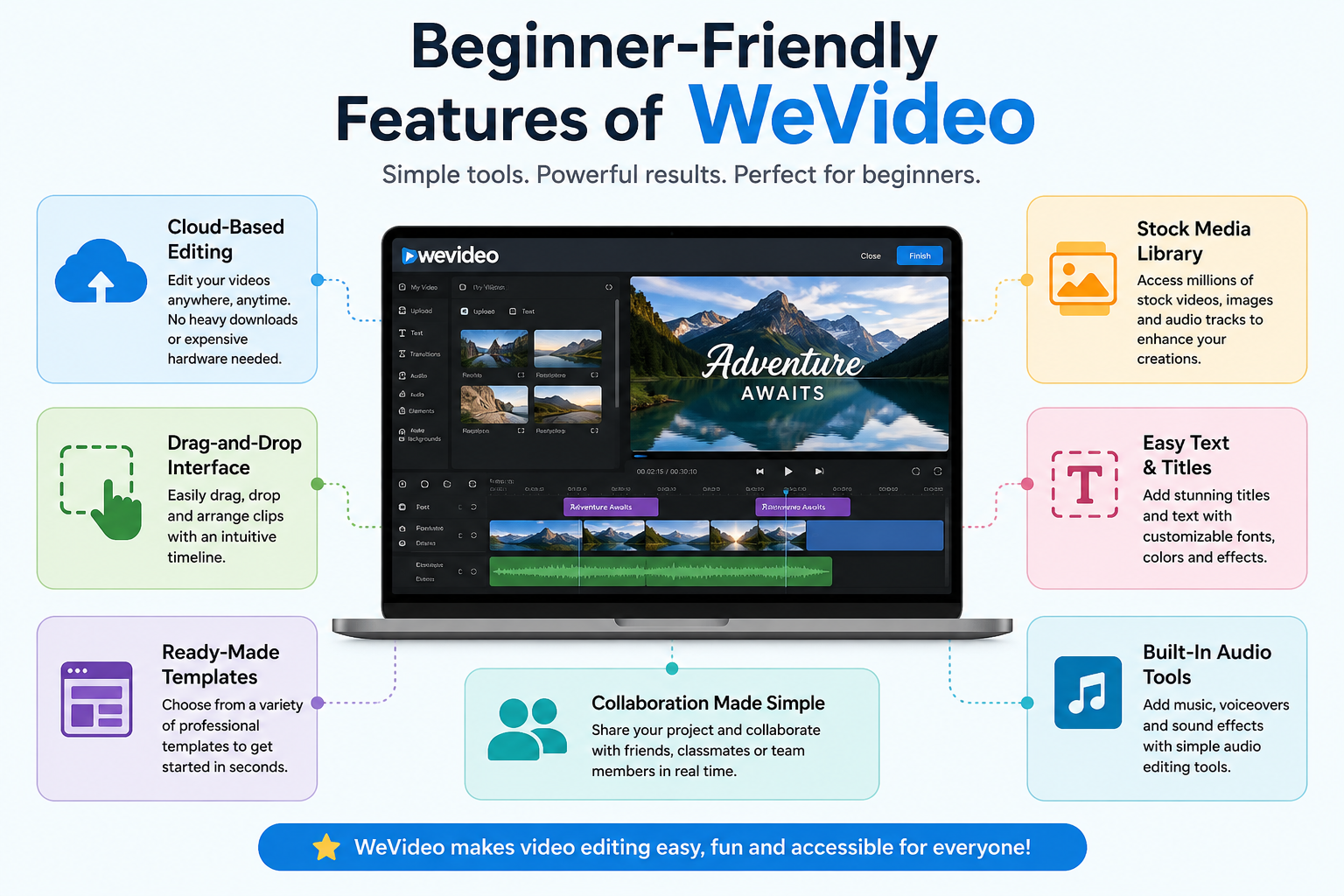
One of WeVideo's greatest strengths is its cloud-based architecture. Users don't need to install large software packages or worry about system compatibility issues. Projects are stored online, allowing creators to access their work from multiple devices.

This cloud-first approach offers several benefits. Files remain accessible wherever you go, collaboration becomes easier, and updates happen automatically without requiring manual downloads. For students, teachers, remote workers, and content creators, this convenience is invaluable. Instead of spending time managing software updates and storage limitations, users can focus on creating content. WeVideo's browser-based editing environment also reduces hardware requirements compared to traditional desktop editing programs.

Drag-and-Drop Interface

The drag-and-drop editing system makes WeVideo particularly attractive for beginners. Rather than navigating complicated menus, users simply upload media and place clips into the timeline. This visual workflow feels natural and intuitive.

Think of it like assembling building blocks. Each video clip, image, audio file, and transition becomes a piece that can be arranged to create a complete story. This simplicity helps users understand editing fundamentals quickly. Instead of worrying about technical settings, beginners can concentrate on storytelling and creativity. The platform's clean design reduces confusion while maintaining enough flexibility to produce polished videos.

Ready-Made Templates

Templates act as shortcuts for beginners. Rather than designing videos from scratch, users can select pre-made layouts tailored for presentations, social media posts, educational content, marketing campaigns, and more.

Templates save time and reduce creative anxiety. Many beginners struggle with deciding where to place text, transitions, and visual elements. Templates provide a strong starting point that users can customize according to their needs. This approach helps new creators produce professional-looking results even if they have never edited a video before.

Stock Media Library

Creating engaging videos often requires more than personal footage. WeVideo includes access to stock videos, images, music, and sound effects, allowing users to enhance projects without searching multiple websites.

The availability of licensed content is particularly useful for beginners who may not have extensive media collections. Instead of spending hours looking for visuals, they can quickly add professional assets directly within the editor. This feature accelerates workflow and improves content quality.

Editing Tools That Simplify the Process

Easy Video Trimming and Cutting

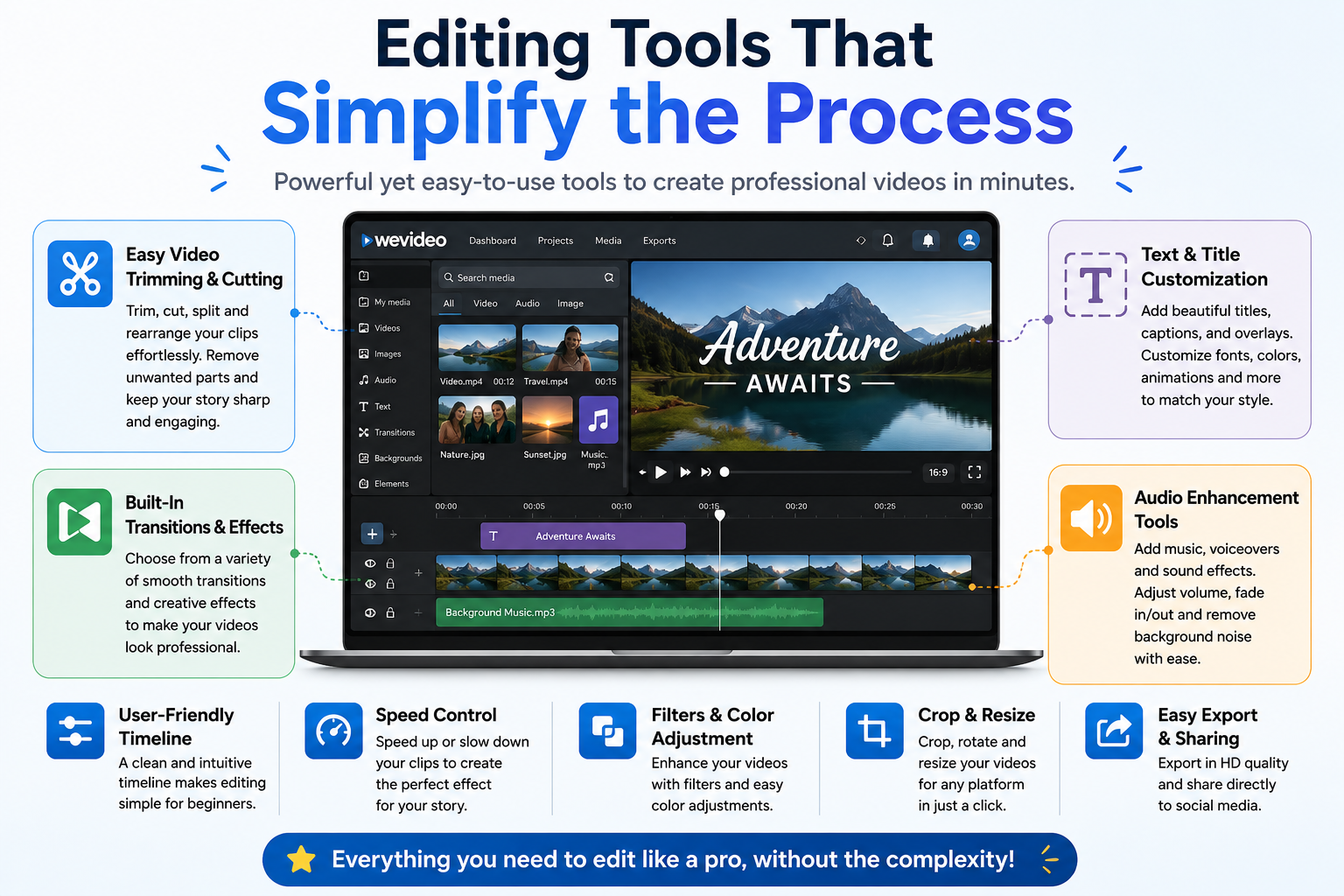
Cutting unnecessary footage is one of the most important editing skills. WeVideo makes this process straightforward through intuitive trimming controls. Users can shorten clips, split videos, and rearrange sequences with minimal effort.

The platform's visual timeline helps users understand exactly where edits occur. Beginners can experiment freely without fear of permanently damaging original files. This non-destructive editing approach encourages creativity and learning. As users gain confidence, they naturally develop stronger storytelling and pacing skills.

Built-In Transitions and Effects

Transitions help videos flow smoothly from one scene to another. WeVideo offers a collection of ready-made transitions and effects that can be applied with just a few clicks.

For beginners, these effects provide an easy way to enhance visual appeal without learning advanced animation techniques. Rather than creating custom transitions from scratch, users can select styles that match their project's tone. This simplicity speeds up production while maintaining professional quality.

Text and Title Customization

Titles are essential for introductions, captions, and branding. WeVideo provides customizable text tools that allow users to add engaging titles without graphic design experience.

Users can adjust fonts, colors, sizes, and animations to match their content. These options help beginners create polished videos that look professionally produced.

Audio Enhancement Tools

Audio quality can significantly influence viewer engagement. WeVideo includes tools for adding music, voiceovers, and sound effects. Users can adjust volume levels and synchronize audio with video clips.

Good audio often makes the difference between amateur-looking content and professional presentations. Beginners appreciate having straightforward audio controls that improve overall production quality without requiring specialized audio engineering knowledge.

Accessibility Across Devices

Desktop Editing

Desktop editing remains popular because larger screens provide more workspace. WeVideo supports editing through modern web browsers, allowing users to create content without installing software. This flexibility makes it suitable for Windows, Chromebook, and other compatible systems.

Mobile Editing on the Go

Modern creators often need to edit content while traveling. WeVideo's mobile capabilities enable users to capture footage, make edits, and publish videos directly from smartphones and tablets. This convenience supports today's fast-paced content creation environment and ensures projects remain accessible regardless of location.

Collaboration and Sharing Features

Team Collaboration

Collaboration is increasingly important in education and business environments. WeVideo supports collaborative workflows that allow multiple users to contribute to projects. Teams can share ideas, review content, and create videos together from different locations.

This collaborative approach makes WeVideo particularly valuable for classrooms and remote teams. Students can work on assignments together, while businesses can streamline content production across departments. Cloud-based collaboration eliminates many logistical challenges associated with traditional editing workflows.

Direct Social Media Publishing

Publishing videos should be as simple as creating them. WeVideo supports direct sharing to popular social platforms, helping creators distribute content quickly. Instead of exporting files and uploading them manually, users can streamline the publishing process directly from the editor.

AI-Powered Features for Faster Editing

Artificial intelligence is transforming content creation, and WeVideo has embraced this trend. Recent platform updates include AI-powered script generation and interactive content tools that help users create videos more efficiently. These features reduce the time required for planning and production while providing inspiration for creators who struggle with ideas.

AI tools are particularly helpful for beginners because they automate repetitive tasks. Instead of spending hours developing scripts or generating interactive elements, users can leverage AI assistance to accelerate workflows. This technology acts like a creative assistant, helping newcomers achieve results faster and with less effort.

WeVideo Pricing and Plans

Feature

Free Plan

Paid Plans

Video Editing

Yes

Yes

Templates

Limited

Expanded Access

Stock Media

Limited

Extensive Library

Publishing Options

Basic

Advanced

Cloud Storage

Limited

Increased Storage

Premium Features

No

Yes

WeVideo offers a free option for beginners who want to explore the platform before committing financially. Paid plans unlock additional storage, publishing capabilities, stock media access, and advanced editing tools. This flexible structure allows users to scale their subscription as their editing needs grow.

Comparing WeVideo With Other Beginner Editors

Feature

WeVideo

Clipchamp

Filmora

iMovie

Cloud-Based

Yes

Yes

No

No

Beginner Friendly

Excellent

Excellent

Good

Good

Mobile Support

Yes

Yes

Yes

Apple Only

Templates

Extensive

Good

Good

Limited

Collaboration

Strong

Basic

Limited

Limited

Compared to many beginner-focused editors, WeVideo stands out through its cloud-based workflow and collaborative features. While platforms like Clipchamp and iMovie offer simplicity, WeVideo combines ease of use with flexibility across devices and environments. This balance makes it an attractive choice for learners, educators, businesses, and content creators.

Who Should Use WeVideo?

WeVideo is ideal for a wide variety of users. Students can create presentations and projects, teachers can develop engaging lessons, marketers can produce promotional content, and social media creators can publish videos quickly. Small businesses benefit from collaborative editing and streamlined workflows, while hobbyists appreciate the platform's accessibility.

The software is especially valuable for people who want professional-looking results without investing months into learning advanced editing techniques. If your goal is to create videos efficiently and confidently, WeVideo provides a practical starting point. The platform grows alongside users, offering enough functionality to support long-term development while remaining approachable for beginners.

Conclusion

WeVideo has successfully simplified video editing by removing many of the obstacles that discourage beginners. Its cloud-based design, drag-and-drop interface, templates, stock media library, collaboration tools, and AI-powered features create an environment where anyone can start producing engaging videos. Instead of overwhelming users with complexity, the platform focuses on accessibility and creativity.

As video content continues to dominate digital communication, tools like WeVideo make it easier than ever to participate. Whether you're creating educational lessons, YouTube videos, business presentations, or social media content, WeVideo provides a practical and beginner-friendly solution. For anyone taking their first steps into video editing, it offers a smooth path from idea to finished project.

Frequently Asked Question

Is WeVideo good for complete beginners?

Yes. WeVideo is specifically designed to be beginner-friendly, offering simple editing tools, templates, and drag-and-drop functionality.

Can I use WeVideo without downloading software?

Yes. WeVideo is a cloud-based platform that works directly through a web browser.

Does WeVideo support mobile editing?

Yes. Users can create and edit videos using mobile devices through WeVideo’s mobile applications and browser-based tools.

Does WeVideo include stock videos and music?

Yes. Paid plans provide access to stock media libraries that include videos, images, and audio assets.

Can I publish videos directly to social media?

Yes. WeVideo allows users to export and share content directly to several social media platforms.


Shopping Basket

times.software

Table of Contents