Vyond

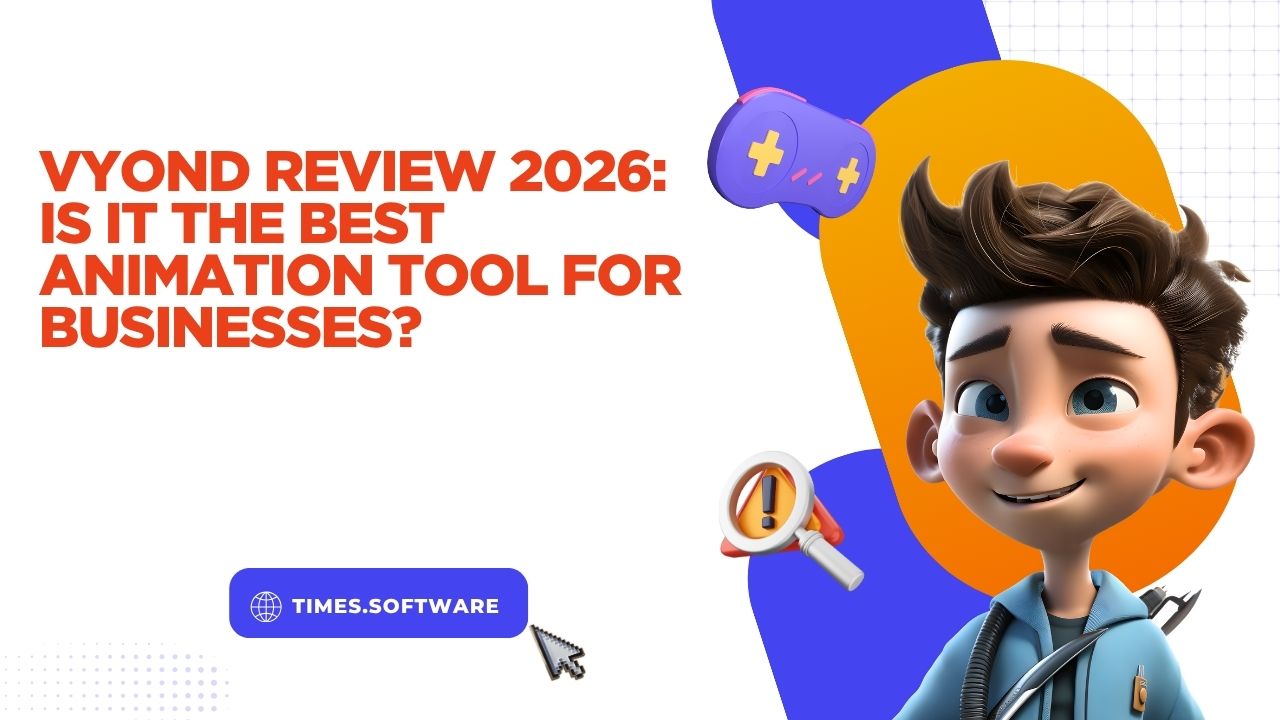
Vyond Review 2026: Is It the Best Animation Tool for Businesses?

Creating business videos used to feel like climbing a mountain with flip-flops on. You needed expensive software, professional animators, voice artists, editors, and a shocking amount of time. Fast forward to 2026, and tools like Vyond are changing the game completely. Businesses can now create animated explainers, employee training videos, social media content, and even AI-powered presentations without touching advanced animation software.

But here’s the real question: Is Vyond actually the best animation tool for businesses in 2026? Or is it simply riding the AI hype wave like dozens of other video tools flooding the market?

This in-depth review explores everything from features and pricing to real-world usability, AI tools, pros, cons, and comparisons with competitors. If you are considering Vyond for your company, agency, startup, YouTube business, or training department, this guide will help you decide whether it deserves your money and attention.

What Is Vyond?

Vyond is a cloud-based AI animation and video creation platform designed primarily for businesses, educators, marketers, and corporate teams. The platform allows users to create animated videos without needing advanced technical animation skills. Instead of manually animating every movement frame by frame like traditional animation software, Vyond simplifies the process with drag-and-drop tools, templates, AI-generated scenes, automated lip-syncing, and customizable characters.

The platform originally launched as GoAnimate before rebranding into Vyond to target professional business users more aggressively. That shift changed everything. Instead of focusing only on entertainment or educational cartoons, Vyond moved directly into the corporate communication space. Today, companies use it for onboarding, compliance training, product explainers, sales presentations, and internal communication videos.

One major reason businesses gravitate toward Vyond is speed. Traditional animation workflows can take days or weeks. Vyond compresses that process into hours. A marketing team can produce a polished explainer video in one afternoon rather than coordinating with external agencies. According to Vyond’s official site, the platform is trusted by 65% of Fortune 500 companies.

That statistic alone tells you something important: businesses are not just experimenting with Vyond anymore. They are depending on it.

The Evolution From GoAnimate to Vyond

Back in its GoAnimate days, the platform had a more playful identity. It was heavily used for school projects, parody videos, and beginner animation. But as video marketing exploded, the company realized businesses needed a faster and cheaper animation solution.

The rebranding to Vyond transformed the software into a professional-grade business communication platform. Over the years, the company added corporate templates, better voice tools, collaboration features, AI video generation, and enterprise security options.

By 2026, Vyond has evolved beyond simple animated cartoons. It now supports AI avatars, text-to-video workflows, multilingual translation, realistic voiceovers, and even AI-powered character actions. The software is moving closer to becoming an all-in-one business communication engine rather than just an animation maker.

Why Businesses Use Vyond

Businesses love efficiency, and Vyond delivers exactly that. Instead of hiring motion designers or video editors for every campaign, companies can produce consistent branded content internally. HR departments create onboarding videos. Marketing teams produce product demos. Customer support teams build tutorial content. Sales departments develop personalized pitches.

The biggest advantage is accessibility. Someone with zero animation background can still create professional-looking videos after a few hours of learning. That dramatically lowers production costs and speeds up content creation.

The rise of remote work also boosted Vyond’s popularity. Companies needed engaging digital communication methods, and animated video became one of the easiest ways to keep employees informed without overwhelming them with long documents or boring slide decks.
Key Features of Vyond in 2026

Vyond’s feature list has grown significantly over the last few years. In 2026, the platform feels more like an AI-powered video production studio than a traditional animation app.

AI Video Generation

One of the standout features is Vyond Go, the company’s AI-powered video creator. Users can simply enter a prompt, script, or document, and the system automatically generates scenes, transitions, voiceovers, and visuals.

Imagine typing:

“Create a 60-second onboarding video for new employees about workplace safety.”

Within minutes, Vyond generates a usable draft complete with animated scenes and narration. That level of automation saves an incredible amount of time.

This feature is especially useful for businesses that need high-volume content quickly. Instead of manually creating every scene, teams can generate drafts instantly and then customize them afterward.

Character Customization

Vyond has always been known for its customizable characters, and the 2026 version is far more advanced than earlier releases. Users can adjust clothing, facial expressions, hairstyles, body types, gestures, and movements.

The newer Storybook animation style introduced in 2026 adds a more illustrated and creative visual aesthetic. That means businesses now have more flexibility depending on the tone of their content.

For example:

  • Corporate compliance videos can use clean professional characters
  • Educational videos can use playful animated styles
  • Marketing campaigns can use modern illustrated designs

This flexibility helps brands avoid the “cookie-cutter animation” problem that many AI video tools suffer from.

Text-to-Speech and Voice Tools

Vyond includes over 650 high-quality text-to-speech voices and more than 130 ultra-high-quality voices in enterprise plans.

That is a huge upgrade compared to older robotic AI voices. Many of the newer voice models sound surprisingly natural, especially for training videos and explainer content.

Users can:

  • Upload real voice recordings
  • Generate AI narration
  • Sync lip movements automatically
  • Translate voiceovers into multiple languages

For businesses targeting global audiences, this becomes extremely valuable.

Templates and Scene Library

The template system is another major strength. Vyond provides thousands of ready-made scenes for:

  • HR training
  • Marketing campaigns
  • Social media ads
  • Product explainers
  • Educational tutorials
  • Sales presentations

Instead of starting from a blank screen, businesses can modify existing templates and adapt them to their brand identity.

That dramatically shortens production time.

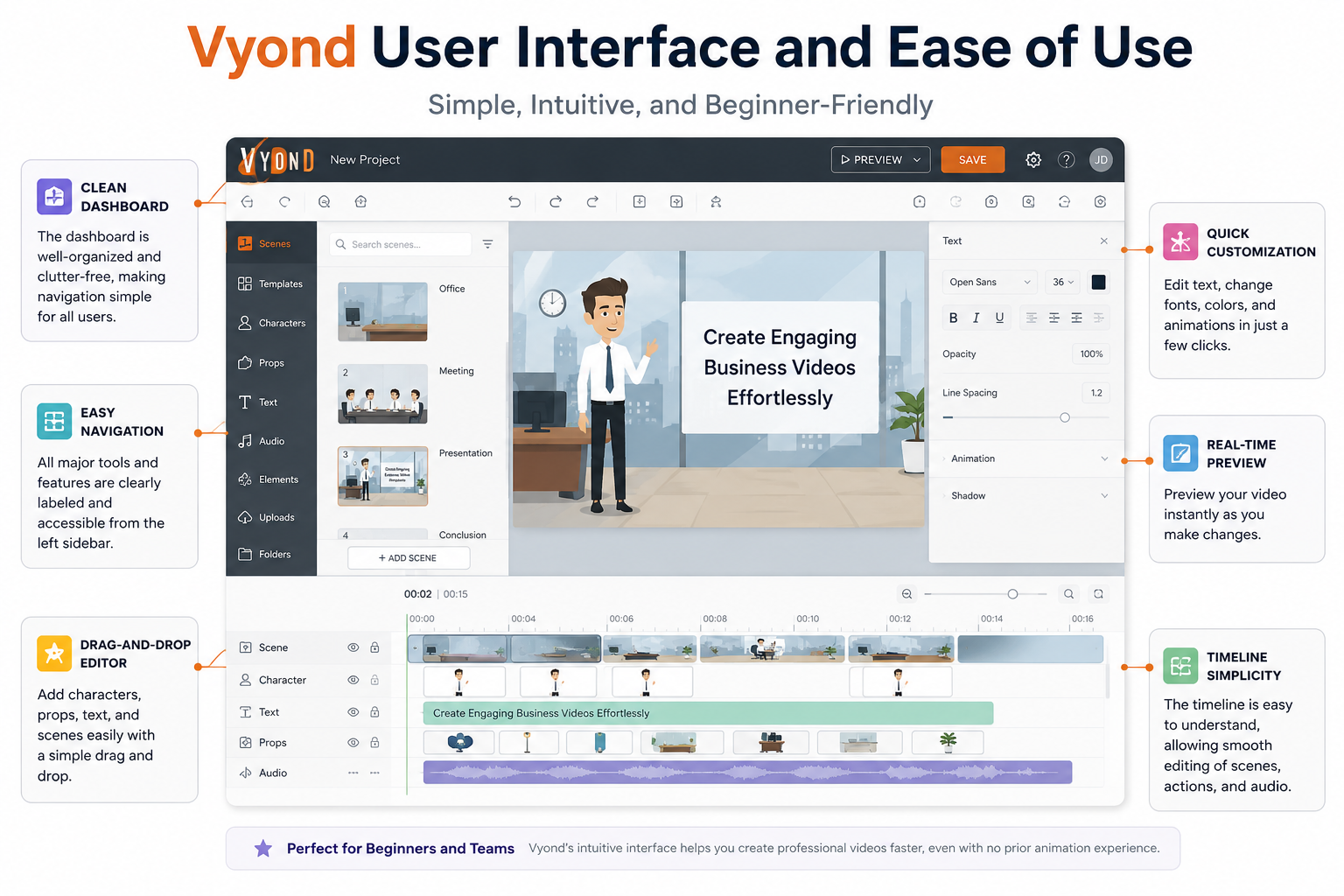
Vyond User Interface and Ease of Use

One reason Vyond continues dominating the business animation market is simplicity. Many professional animation tools feel intimidating. Vyond does not.

Beginner-Friendly Dashboard

The dashboard is designed for non-designers. Even first-time users can quickly understand how scenes, timelines, assets, and characters work.

The layout feels modern and organized. Assets are categorized logically, and AI tools are integrated directly into the workflow instead of hidden inside complicated menus.

Compared to software like Adobe After Effects, Vyond feels refreshingly approachable.

Drag-and-Drop Editing Experience

The drag-and-drop editor is where Vyond shines. Users can:

  • Add scenes
  • Insert characters
  • Adjust animations
  • Apply camera movements
  • Sync voiceovers
  • Add music

All without coding or advanced editing knowledge.

The timeline editor remains powerful enough for experienced users while staying accessible for beginners. That balance is difficult to achieve, but Vyond handles it surprisingly well.

Vyond AI Features Explained

AI is now central to Vyond’s identity. The company is aggressively positioning itself as an AI-first business video platform.

Vyond Go

Vyond Go is arguably the platform’s biggest innovation. Instead of building videos manually, users can create videos from prompts, scripts, URLs, or documents.

This changes the entire workflow.

Rather than spending hours arranging scenes, users can focus on messaging and storytelling. The AI handles the heavy lifting.

Of course, AI-generated videos still require editing for best results. But as a starting point, it is incredibly efficient.

AI Avatars

AI avatars are another important feature. Businesses can create digital presenters that deliver scripts naturally. These avatars are especially useful for:

  • Training content
  • Customer support videos
  • Internal announcements
  • E-learning

Instead of filming real presenters repeatedly, businesses can scale content production using AI avatars.

Instant Translation

Localization is expensive for businesses. Translating videos into multiple languages usually requires voice actors, editors, and subtitles.

Vyond simplifies that process with instant translation into 80+ languages.

For international companies, this feature alone can save enormous production costs.

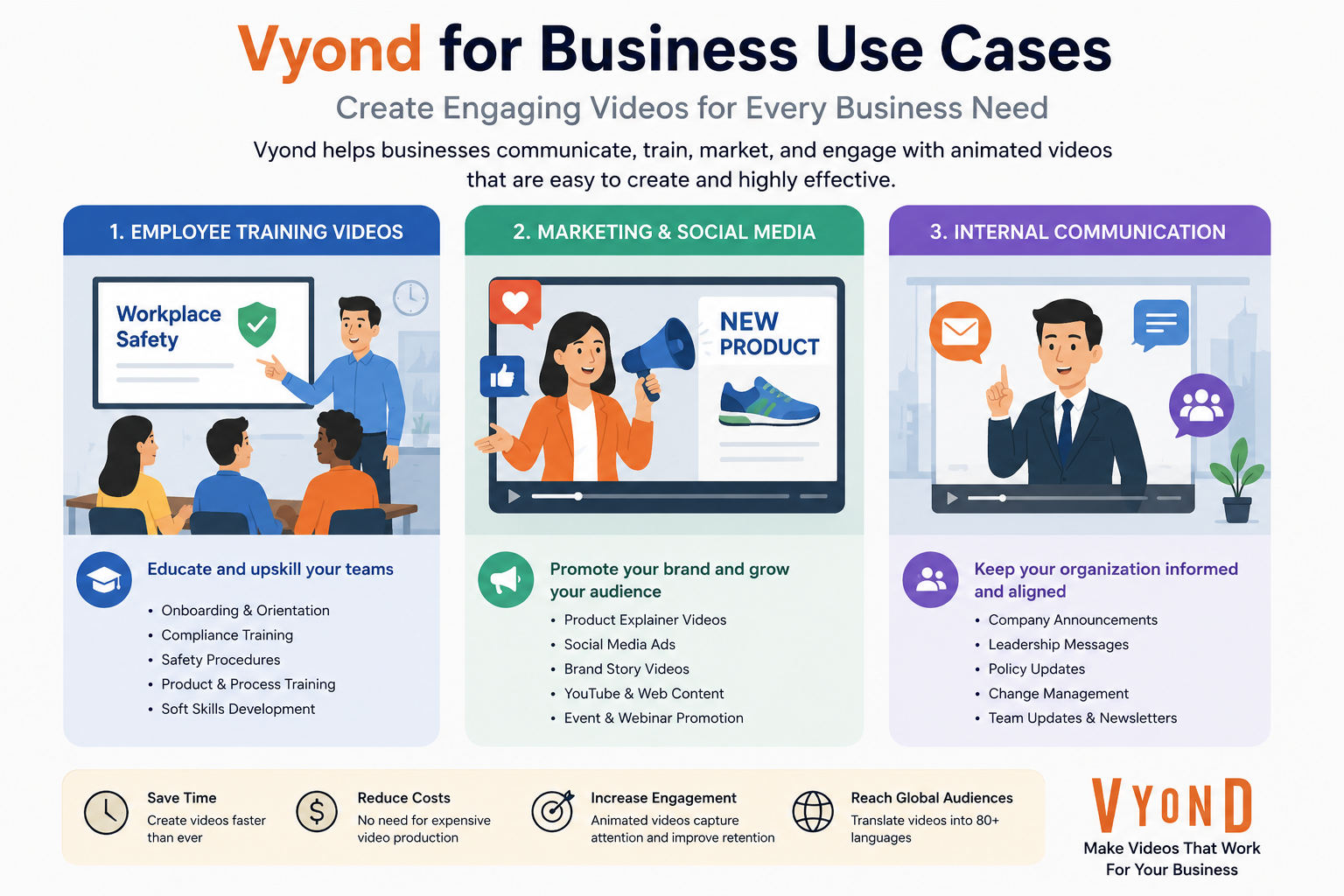
Vyond for Business Use Cases

Vyond is clearly designed with business communication in mind.

Employee Training Videos

Training videos are often painfully boring. Long PowerPoint presentations drain attention instantly. Animated storytelling makes training more engaging and memorable.

Companies use Vyond for:

  • Safety training
  • Compliance education
  • Onboarding
  • Software tutorials
  • Workplace communication

Animation also helps simplify complex concepts.

Marketing and Social Media

Short animated explainers perform extremely well on social media because they capture attention quickly.

Businesses use Vyond for:

  • Product launches
  • Facebook ads
  • LinkedIn marketing
  • YouTube explainers
  • Website demos

Animated content often feels more approachable than traditional corporate videos.

Internal Communication

Remote teams need clearer communication. Vyond allows businesses to turn dull announcements into engaging animated updates.

That can significantly improve employee engagement.

Vyond Pricing Plans in 2026

Pricing is one area where opinions become divided.

According to Vyond’s official pricing page, the plans currently include:

Plan

Annual Pricing

Best For

Starter

$58/month billed annually

Individuals & freelancers

Professional

$100/month billed annually

Teams & businesses

Enterprise

$137/month billed annually

Large organizations

Agency

$167/month billed annually

Agencies

Starter Plan

The Starter plan includes:

  • AI avatars
  • Text-to-video tools
  • 650+ AI voices
  • Screen recording
  • 10,000 AI credits monthly

This plan works best for solo creators and small businesses.

Professional Plan

The Professional plan adds:

  • Team collaboration
  • Shutterstock assets
  • Translation tools
  • Generative avatars
  • 20,000 AI credits

For most businesses, this is probably the sweet spot.

Enterprise Plan

Enterprise users receive:

  • Advanced security
  • Brand management
  • Unlimited credits
  • Premium voice models
  • Advanced collaboration

Larger organizations benefit most from this plan.

Vyond Pros and Cons

Pros

Cons

Extremely beginner-friendly

Expensive for small creators

Strong AI video generation

Limited cinematic animation freedom

Huge template library

AI credits can feel restrictive

Excellent for business videos

Not ideal for advanced filmmaking

Fast content production

Monthly pricing is high

Great voice and translation tools

Some animations still look template-based

The biggest complaint users consistently mention is pricing. Several reviewers appreciate the software but feel it costs more than competitors.

Still, many businesses justify the price because it reduces production time dramatically.

Vyond vs Competitors

The AI video market is crowded now, so comparisons matter.

Vyond vs Powtoon

Powtoon is popular for presentations and educational videos. It is easier for casual presentation-style content, but Vyond offers stronger character animation and business storytelling tools.

Vyond feels more polished for corporate communication.

Vyond vs Synthesia

Synthesia focuses heavily on AI avatars and realistic presenters. If you mainly want talking-head AI videos, Synthesia may be stronger.

But Vyond offers more creative animation flexibility.

Vyond vs Animaker

Animaker is more affordable and beginner-friendly for casual users. However, Vyond generally delivers better enterprise tools, collaboration features, and AI workflows.

Businesses that need scalable branded communication often prefer Vyond.

Is Vyond Worth It in 2026?

For businesses, the answer is often yes.

Vyond solves a real problem: creating professional business videos quickly without massive production costs. The platform combines animation, AI tools, voice generation, templates, and collaboration into one ecosystem.

It is not the cheapest option, but it is one of the most complete business-focused animation platforms available today.

If your company regularly produces:

  • Training videos
  • Marketing explainers
  • Internal communication
  • Social media animations
  • E-learning content

Then Vyond can absolutely justify its price.

Freelancers and hobby creators may find the subscription expensive, especially compared to lower-cost alternatives. But businesses focused on efficiency, scalability, and professional communication will likely see strong value.

The AI tools also make Vyond future-ready. Many competitors still feel fragmented, requiring multiple apps for scripting, voiceovers, editing, and translation. Vyond centralizes those workflows.

That matters more than ever in 2026.

Conclusion

Vyond has evolved far beyond a simple animation maker. In 2026, it stands as one of the most powerful AI-powered business video platforms available. The software combines ease of use with serious business functionality, making professional animation accessible to teams without technical expertise.

Its strongest advantages are speed, AI automation, multilingual support, and business-focused templates. The platform excels in corporate communication, training, onboarding, marketing, and educational content creation.

Pricing remains the biggest obstacle for smaller creators, but businesses that produce videos regularly will likely recover the investment through saved production time and reduced outsourcing costs.

Is it the best animation tool for businesses in 2026?

For many organizations, yes. Especially if ease of use, scalability, and AI-powered workflows matter more than cinematic-level animation control.

Frequently Asked Question

Is Vyond good for beginners?

Yes. Vyond is specifically designed for non-designers and beginners. The drag-and-drop interface makes video creation simple even for first-time users.

Does Vyond use AI?

Yes. Vyond includes AI tools like Vyond Go, AI avatars, text-to-video generation, AI voiceovers, and instant translation features.

Is Vyond expensive?

Compared to casual animation tools, Vyond is relatively expensive. However, businesses often find the pricing worthwhile because it reduces production costs and saves time.

Can Vyond create marketing videos?

Absolutely. Businesses commonly use Vyond for social media ads, product explainers, YouTube videos, and promotional campaigns.

Does Vyond offer a free trial?

Yes. Vyond offers a free trial, although exported videos may include watermarks during the trial period.


Shopping Basket

times.software

Table of Contents