Digital Marketing Agency
The Ultimate Guide to Creating Dynamic Websites with Slider Revolution
Modern websites are no longer just digital brochures filled with text and images. Visitors expect websites to feel alive, interactive, and visually engaging from the moment they arrive. A simple homepage with static content often struggles to capture attention because users are constantly surrounded by highly interactive experiences on social media platforms, streaming services, and modern applications. This is where tools like Slider Revolution have changed the way designers and developers approach website creation. Instead of depending only on traditional page builders, businesses and creators can build visually impressive sections with animations, videos, interactive elements, and storytelling effects.
Slider Revolution has grown far beyond its original purpose as a slider plugin. Today, it works as a complete visual content creation platform that helps users design hero sections, animated presentations, landing pages, and interactive website experiences without requiring advanced coding knowledge. The official platform describes it as a tool focused on motion, interaction, and responsive visual design rather than only creating image sliders.
Whether you are a beginner creating your first WordPress website or an experienced designer looking for faster ways to build creative layouts, understanding how Slider Revolution works can help you create websites that feel modern and professional. This guide explains everything you need to know about using Slider Revolution to build dynamic websites, improve user engagement, and create memorable online experiences.
Table of Contents
ToggleA few years ago, website sliders were mainly used to rotate promotional banners at the top of a homepage. They usually contained a few images, simple text, and basic transition effects. However, modern web design has transformed dramatically. Today, users expect movement, personalization, and interactive storytelling. Slider Revolution has adapted to these changes by becoming a broader design solution that allows creators to build complete visual sections instead of simple rotating banners.
At its core, Slider Revolution is a visual editor that allows users to combine different content layers such as images, videos, text blocks, buttons, icons, and animations. Think of it like a digital design studio where every element on your website can be positioned, styled, and animated according to your creative vision. Instead of writing complex CSS animations or JavaScript effects manually, designers can use visual controls to create impressive results.
The biggest advantage of this approach is flexibility. A business website can use Slider Revolution to create a powerful homepage introduction, an online store can highlight products with animated presentations, and creative professionals can build portfolio sections that showcase their work in an engaging way.
Traditional slider plugins usually focus on one specific function: displaying multiple images or posts in a rotating format. While that can still be useful, it limits creativity. Modern websites require more than moving images. They need interactive layouts that guide visitors through a story.
Slider Revolution provides tools for creating:
The difference is similar to comparing a basic photo slideshow with a complete movie editing studio. A slideshow simply displays images, while a professional editing tool allows creators to control timing, transitions, effects, and storytelling.
Slider Revolution 7 introduced major improvements, including a redesigned editor, AI-powered features, and enhanced visual editing capabilities. These improvements show how the platform continues moving toward being a complete website design solution rather than only a slider builder.
When Slider Revolution first became popular, many WordPress users knew it mainly as a premium slider plugin included with various themes. Over time, it expanded its capabilities and introduced advanced design features that allow users to create much more than traditional sliders.
The evolution happened because website expectations changed. Businesses wanted websites that looked similar to professional advertisements, applications, and interactive digital experiences. Designers needed tools that could deliver high-quality animations without spending hours writing custom code.
Today, Slider Revolution allows users to create content modules that behave like individual website sections. These modules can include animated backgrounds, layered elements, scrolling effects, and responsive adjustments for different screen sizes.
For designers, this means fewer limitations. Instead of thinking, “What can this slider plugin do?” the question becomes, “What kind of experience can I create?”

A website’s first impression often determines whether visitors stay or leave. In a competitive online environment, businesses have only a few seconds to communicate their value. A dynamic website helps capture attention quickly by combining visual design, movement, and interactive experiences.
Static websites can still provide valuable information, but dynamic websites create stronger emotional connections. A visitor is more likely to remember a brand that presents information through engaging visuals rather than a plain collection of paragraphs.
Dynamic design is not only about adding animations everywhere. The goal is to create meaningful interactions that improve navigation, explain products, and guide users toward taking action.
Interactive experiences make websites feel more personalized and engaging. When users interact with animated elements, video sections, or creative layouts, they become active participants rather than passive readers.
For example, imagine visiting an online furniture store. A normal website might show product images and descriptions. A dynamic website could display a cinematic room design, animated product highlights, and interactive buttons that guide users through different collections.
This type of experience creates curiosity. Visitors naturally want to explore more when a website responds visually to their actions.
However, effective interaction requires balance. Too many animations can distract users and slow down performance. Professional website design focuses on using motion strategically where it supports communication.
Humans naturally connect with stories. A website that tells a story through visuals can communicate ideas faster than a large block of text.
Slider Revolution helps designers create visual storytelling by combining:
For example, a travel company can create a homepage that begins with a beautiful destination video, followed by animated information about packages and an attractive booking button. Instead of simply explaining the service, the website creates an emotional experience.
This storytelling approach can increase engagement because visitors understand the message more naturally.
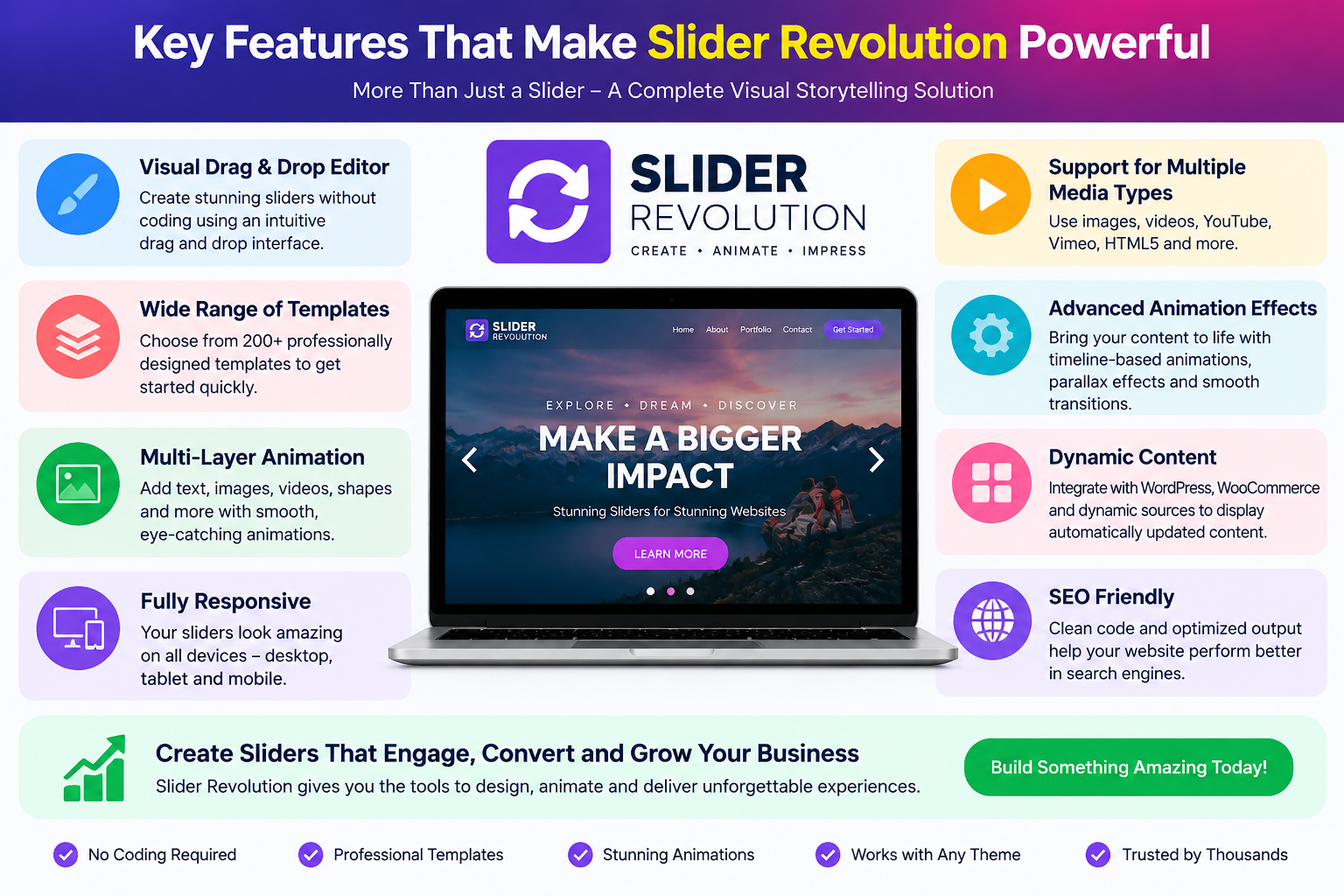
Slider Revolution offers a wide range of features designed for both beginners and professional designers. Its popularity comes from combining creative freedom with easier visual editing.
One of the most useful features of Slider Revolution is its visual editor. Users can create layouts by placing elements exactly where they want them without manually writing code.
The editor allows customization of:
This makes website creation faster because designers can see changes immediately.
For beginners, this removes much of the complexity associated with web design. Instead of learning advanced programming concepts before creating attractive pages, users can focus on creativity and structure.
Animation is one of the strongest features of Slider Revolution. The platform provides tools for creating smooth transitions, entrance effects, movement paths, and visual interactions.
Animations can be used to:
For example, a headline can appear gradually while an image moves into position. A button can become more noticeable after the visitor understands the message. These small details create a polished experience.
The key is using animation with purpose. Professional websites do not animate everything; they use motion to support the user journey.
Since most internet users browse websites through mobile devices, responsive design is essential. Slider Revolution includes responsive editing options that allow designers to adjust layouts for different screen sizes.
A desktop design may contain large images and multiple layers, while a mobile version may require simplified layouts. Responsive controls help maintain visual quality across devices.
A successful dynamic website should look attractive whether someone visits from a laptop, tablet, or smartphone.
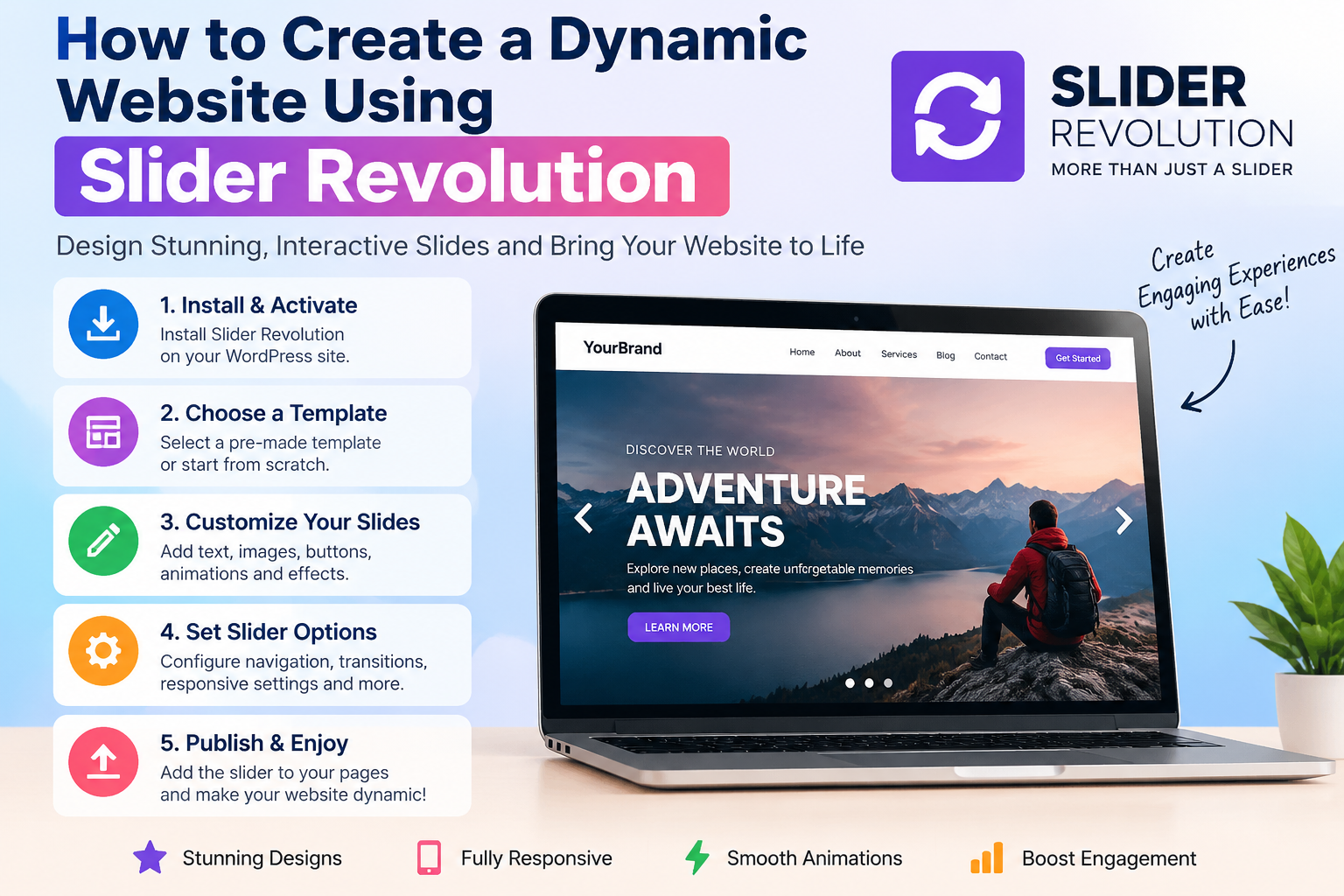
Creating a professional website with Slider Revolution follows a structured process. While creativity plays an important role, planning helps achieve better results.
The first step is deciding whether to build from a blank canvas or customize an existing template.
Templates are useful because they provide professionally designed foundations. They include layouts, animations, and design structures that can be modified according to your needs.
Starting from scratch gives complete creative control but requires more design planning.
A good approach is to study templates first, understand their structure, and then customize them instead of immediately creating everything from zero.
Visual content is the foundation of dynamic websites. Slider Revolution allows users to combine different media types to create engaging sections.
Important elements include:
Images: High-quality images create emotional impact and improve visual appeal.
Videos: Background videos can immediately communicate brand personality.
Text: Headlines should be clear, short, and focused.
Buttons: Calls-to-action should guide users toward the next step.
Every element should have a purpose. A beautiful design without clear communication can confuse visitors.
Layers are one of the most powerful concepts in Slider Revolution. Each element can be controlled separately, allowing detailed animation management.
Designers can adjust:
This creates a timeline similar to video editing software.
By controlling when and how elements appear, designers can create professional presentations that feel carefully planned.
Creating attractive designs is only part of successful website development. A professional website must also perform well, load quickly, and provide a smooth user experience.
Heavy animations, large images, and videos can affect loading speed if not optimized properly.
To maintain performance:
A visually impressive website that loads slowly may lose visitors. The best designs combine creativity with technical efficiency.
A dynamic website should also support search engine visibility.
SEO-friendly practices include:
Animations should enhance the page rather than replace valuable text content.
Search engines still need clear information to understand what your website offers.
How Tailwind Can Help Simplify Your Social Media Workflow
How Remote Can Simplify International Employment and Team Management
Explore Drawing, Painting and Animation Features in Clip Studio Paint
A Beginner’s Guide to Starting a Company with MyCompanyWorks, Inc.
Plan a Better Vacation with Helpful Tips from Undercover Tourist
Many beginners make the mistake of focusing only on visual effects. A website should not become a collection of animations without a clear purpose.
Common mistakes include:
A good website feels natural. Visitors should notice the experience, not struggle because of it.
Website design continues moving toward more interactive and personalized experiences. Artificial intelligence, advanced animations, and no-code design tools are changing how creators build websites.
Slider Revolution’s recent updates show this direction by introducing redesigned editing experiences and AI-related capabilities.
In the future, website creation may become even more visual, allowing creators to generate complete experiences through simple instructions and creative adjustments.
For businesses, this means more opportunities to create unique digital identities without needing large development teams.
Creating a dynamic website requires more than attractive colors and images. Modern visitors expect engaging experiences that communicate quickly and effectively. Slider Revolution provides designers and businesses with powerful tools to create interactive layouts, animated sections, and visually impressive websites.
From drag-and-drop editing to advanced animations and responsive design controls, Slider Revolution makes professional website creation more accessible. However, the best results come from combining creativity with smart design principles.
A successful dynamic website should tell a story, guide visitors, and provide value. When used correctly, Slider Revolution becomes more than a design tool—it becomes a way to transform ordinary webpages into memorable digital experiences.
Slider Revolution is used for creating dynamic website sections such as sliders, hero areas, animated presentations, landing pages, and interactive content modules. It allows designers to combine images, videos, text, and animations visually.
No. Slider Revolution includes a visual editor that allows beginners to create designs without writing complex code. However, coding knowledge can help advanced users customize websites further.
Yes. Interactive animations, visual storytelling, and attractive layouts can make websites more engaging when they are designed properly.
Slider Revolution is mainly known as a WordPress design tool, but its ecosystem has expanded around creating visual web content and modules.
You can improve speed by optimizing images, reducing unnecessary animations, using efficient hosting, and creating simple layouts that focus on important content.
times.software
Table of Contents
×