Digital Marketing Agency
Explore Drawing, Painting and Animation Features in Clip Studio Paint
Digital art has completely transformed the way artists create, experiment, and share their imagination with the world. Today, creators are no longer limited to pencils, paper, paint tubes, and physical studios. Powerful software tools allow artists to sketch characters, paint detailed environments, design comics, and even animate their drawings from a single creative workspace. Among the most popular applications for digital artists, Clip Studio Paint stands out because it combines the feeling of traditional artwork with modern digital technology.
Originally developed with illustrators and comic creators in mind, Clip Studio Paint has grown into a complete creative platform used for drawing, painting, manga creation, concept art, and animation. The software provides thousands of customizable brushes, advanced coloring tools, perspective assistance, 3D references, and animation features that support both beginners and professionals. According to the official Clip Studio Paint resources, the software is designed for illustrations, comics, and animations across Windows, macOS, tablets, and mobile devices.
Whether you are a beginner learning digital sketching or an experienced artist working on professional projects, Clip Studio Paint offers tools that adapt to different artistic styles. It works like a digital art studio where every tool has a purpose, from creating the first rough sketch to producing a finished animated scene.
Table of Contents
ToggleClip Studio Paint is often described as an all-in-one solution for creative professionals because it combines several artistic workflows in one application. Instead of switching between multiple programs for sketching, coloring, designing characters, and animating, artists can complete most stages of production within the same environment. This makes the creative process smoother and allows ideas to move naturally from imagination to final artwork.
The software supports different artistic fields, including character illustration, concept art, comics, webtoons, animation, and graphic design. Artists can create simple sketches, detailed paintings, professional comic pages, or full animation sequences depending on their goals. The official feature overview highlights tools for character art, comics, animation, concept art, and design projects.
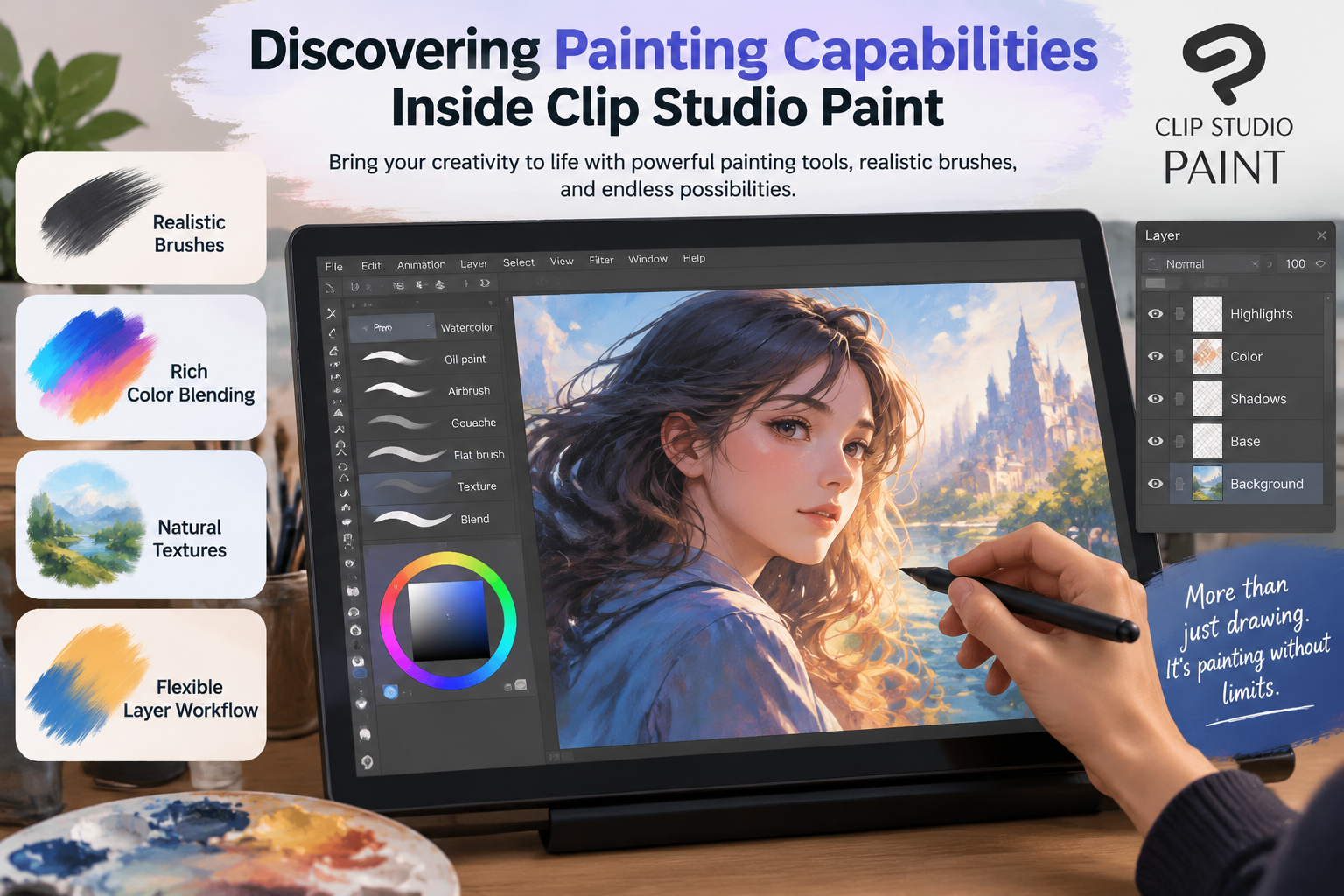
One of the biggest advantages of Clip Studio Paint is its ability to recreate the experience of traditional art. Many digital painting programs can feel mechanical, but Clip Studio Paint focuses on natural strokes and realistic brush behavior. A pencil brush can feel like a real pencil, while watercolor and oil brushes can imitate traditional painting techniques.
For artists who enjoy experimentation, this flexibility creates endless possibilities. A single canvas can include rough sketches, detailed line art, textured painting, lighting effects, and animation frames. This makes Clip Studio Paint more than just a drawing program; it becomes a complete creative workspace.
The digital art industry offers many creative applications, but Clip Studio Paint has built a strong reputation because of its specialized tools for illustrators and animators. Unlike some general-purpose editing software, Clip Studio Paint was designed around the needs of artists who create visual stories.
Many professional creators choose it because the software focuses heavily on drawing quality. The brush engine provides realistic pressure sensitivity, allowing artists to control thickness, opacity, and texture through their stylus movements. This creates a more natural connection between the artist’s hand and the digital canvas.
Another reason for its popularity is efficiency. Artists can save time using features such as customizable shortcuts, automatic coloring assistance, reusable materials, and adjustable templates. Instead of spending hours repeating technical tasks, creators can focus more on creativity.
Clip Studio Paint also supports community-driven resources. Artists can download and share brushes, textures, poses, and other creative materials through the Clip Studio Assets ecosystem. This creates a large library of tools that helps artists expand their creative options.
Drawing is the foundation of most digital artwork, and Clip Studio Paint provides a wide range of tools designed specifically for sketching and illustration. Whether an artist prefers clean cartoon styles, realistic portraits, fantasy characters, or detailed environments, the software provides the flexibility needed to achieve different results.
The drawing experience begins with the brush system. Clip Studio Paint includes pencils, pens, markers, brushes, and specialized tools that imitate traditional materials. Artists can adjust brush size, texture, stabilization, opacity, and pressure settings to match their personal style.
The software also includes tools that help artists create accurate artwork. Perspective rulers, symmetry rulers, and shape tools make it easier to build complex scenes and maintain correct proportions. These features are especially useful for backgrounds, architecture, and technical illustrations.
According to the official user guide, Clip Studio Paint includes advanced features such as brushes, rulers, vector layers, 3D tools, transformations, and animation tools.
The brush system is one of Clip Studio Paint’s strongest features. Many digital artists choose the software because brushes respond naturally to stylus movement, creating strokes that feel similar to traditional drawing tools.
Artists can create smooth line art using pen brushes, develop textured sketches using pencil tools, or paint detailed images using specialized brushes. Each brush can be customized, allowing creators to adjust everything from texture intensity to blending behavior.
For example, a character artist may use a pencil brush for rough sketches, a G-pen style tool for clean outlines, and watercolor brushes for soft coloring. A concept artist may combine textured brushes with blending tools to create realistic environments.
This flexibility allows artists to develop unique visual styles instead of relying on default settings. The brush customization system transforms Clip Studio Paint into a personalized art studio.
Vector layers are another valuable feature for artists who want flexible line editing. Unlike traditional raster drawings, vector-based artwork can be resized and adjusted without losing quality.
This is especially helpful for illustrators creating logos, comics, character designs, or artwork that needs multiple revisions. Artists can modify line thickness, move strokes, and correct details even after drawing.
Vector layers also make professional workflows easier because creators can refine their artwork without starting again from scratch. This saves time and provides greater creative control.

Painting in Clip Studio Paint goes beyond simply adding colors to sketches. The software provides advanced painting tools that allow artists to create realistic textures, lighting effects, shadows, and atmospheric details.
Digital painters can combine multiple brushes, blending methods, and layer techniques to achieve different artistic styles. Whether creating a fantasy landscape, realistic portrait, or colorful illustration, artists have the tools needed to develop depth and emotion.
The painting workflow feels similar to working with traditional media because brushes interact naturally with colors. Artists can mix tones, create soft transitions, and build complex surfaces with detailed textures.
Coloring is one of the most important stages of digital artwork, and Clip Studio Paint provides multiple approaches for different artistic needs. Artists can use traditional coloring methods, automatic assistance tools, gradients, and advanced blending options.
The software includes features that help speed up the coloring process while maintaining creative control. Artists can separate line art, shadows, highlights, and effects into different layers, making adjustments easier.
Blending tools allow creators to produce smooth transitions between colors. This is especially useful for portraits, landscapes, and illustrations requiring realistic lighting.
Layers are essential for digital artists because they allow different elements of artwork to be edited independently. Clip Studio Paint provides advanced layer organization features that help manage complex projects.
Artists can separate sketches, outlines, colors, shadows, effects, and backgrounds into individual layers. This makes experimentation easier because changes can be made without damaging the original artwork.
Layer masks, clipping layers, and blending modes provide additional control. These features allow artists to create professional-level illustrations while maintaining an organized workflow.
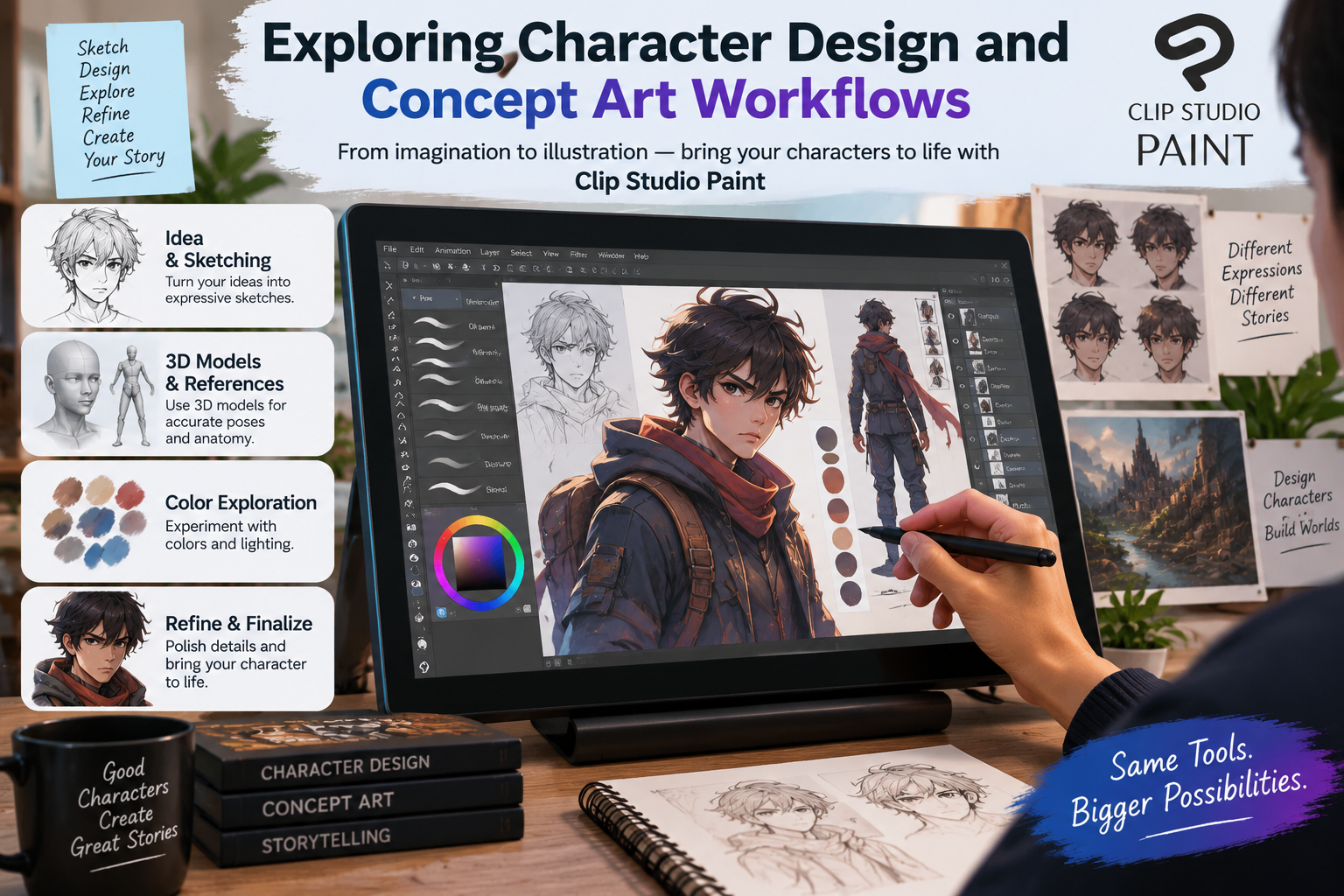
Character design requires imagination, planning, and technical precision. Clip Studio Paint supports every stage of character creation, from initial sketches to final rendered artwork.
Artists can create character concepts using sketch tools, reference images, coloring systems, and 3D models. This makes it easier to explore different poses, costumes, and expressions.
The software’s 3D tools are particularly useful because artists can position reference models, adjust camera angles, and study human proportions before drawing.
Drawing complex poses can be challenging, especially for beginners. Clip Studio Paint solves this problem by providing customizable 3D models that artists can use as references.
These models help creators understand body structure, perspective, and lighting. Instead of guessing difficult angles, artists can create a reference scene and draw over it.
This feature does not replace creativity; it supports it. Artists still make the final creative decisions while using references to improve accuracy.
A Beginner’s Guide to Starting a Company with MyCompanyWorks, Inc.
Plan a Better Vacation with Helpful Tips from Undercover Tourist
Discover Smarter Digital Safety and Parental Tools with Bark UK
Why Millennium Hotels and Resorts (Global) Is Worth Exploring for Your Next Stay
The Ultimate Guide to Products, Books and Culture at Feltrinelli IT
Clip Studio Paint is especially famous among comic and manga creators because it includes specialized storytelling tools. Creating comics requires more than drawing characters; artists need panel layouts, speech bubbles, effects, and page management.
The software provides tools specifically designed for comic production. Artists can create panel frames, add text, apply screen tones, and manage multi-page projects efficiently.
For webtoon creators, Clip Studio Paint provides a flexible environment for creating vertical scrolling comics. Artists can design long-format pages while maintaining professional quality.
Comic creators can save significant time using built-in tools for storytelling elements. Panel creation tools help organize scenes, while speech bubble features make dialogue placement easier.
Effect brushes can create action lines, motion effects, and visual impact. These tools help artists communicate emotions and movement more effectively.
One of Clip Studio Paint’s most impressive abilities is animation. Artists can transform static drawings into moving artwork using timeline-based animation tools.
The animation workflow allows creators to draw frame by frame, similar to traditional animation methods. Features like onion skin allow artists to view previous and upcoming frames while creating movement.
The timeline system gives artists control over animation timing and frame organization. Creators can adjust movement speed, arrange frames, and preview animations directly inside the software.
Onion skin is especially useful because it displays nearby frames as transparent references. This helps artists create smoother movements and maintain consistency between drawings.
Clip Studio Paint supports everything from short GIF animations to more advanced 2D projects. Animators can combine drawings, camera movements, audio, and effects to create complete sequences.
The software is suitable for beginners learning animation as well as experienced creators producing professional work.
Clip Studio Paint includes many productivity features that help artists work faster. Custom brushes, reusable materials, automation tools, and shortcuts reduce repetitive tasks.
Artists can create their own workspace and organize tools according to their workflow. This makes the software adaptable for different creative industries.
Beginners appreciate Clip Studio Paint because it provides learning resources and intuitive tools. Professionals value it because it supports complex projects and detailed workflows.
The software grows with the artist. Someone starting with simple sketches can eventually create professional illustrations and animations without changing platforms.
Feature | Clip Studio Paint PRO | Clip Studio Paint EX |
Illustration tools | Yes | Yes |
Character design | Yes | Yes |
Basic animation | Limited | Advanced |
Full animation workflow | No | Yes |
Multi-page comics | Limited | Yes |
For artists focused mainly on illustration, PRO may be enough. Creators working with animation, manga series, or large comic projects may benefit from EX.
Clip Studio Paint has become one of the most versatile digital art applications because it combines drawing, painting, comics, and animation features in one powerful platform. Its realistic brushes, advanced layers, 3D references, and animation tools provide artists with everything needed to transform creative ideas into finished artwork.
Whether you are sketching your first digital character, painting a detailed environment, designing a comic, or creating an animated sequence, Clip Studio Paint offers a flexible environment that supports creativity at every stage.
The biggest advantage of Clip Studio Paint is that it does not force artists into one style. Instead, it provides the tools needed to discover and develop a unique artistic voice.
Yes, Clip Studio Paint is beginner-friendly because it provides tutorials, simple tools, customizable brushes, and features that help new artists learn digital creation.
Yes, Clip Studio Paint includes animation features such as timelines, onion skin, frame-by-frame drawing, and export options for animated projects.
Many illustrators prefer Clip Studio Paint for drawing because its brushes and comic tools are specifically designed for artists. However, the best choice depends on the creator’s workflow.
Yes, Clip Studio Paint supports devices including Windows, macOS, iPad, iPhone, Android, and Chromebook platforms.
Clip Studio Paint EX is generally better for serious animators because it includes advanced animation and production features compared with PRO.
times.software
Table of Contents
×