Notice: Function Elementor\Core\Experiments\Manager::warn_removed_or_hidden_dependency was called incorrectly. Feature mega-menu depends on hidden experiment nested-elements. Please see Debugging in WordPress for more information. (This message was added in version 4.3.2.) in /home/u327571181/domains/times.software/public_html/wp-includes/functions.php on line 6260 Oneflow Review 2026: Features, Pricing, and Benefits Explained - Times Software
Oneflow is a modern contract lifecycle management platform designed to simplify how businesses create, negotiate, sign, and manage contracts digitally. Instead of treating contracts like static PDF files sitting in folders nobody opens again, Oneflowturns them into living documents connected directly to workflows, CRMs, and business systems. That alone changes how teams collaborate. In 2026, businesses are moving faster than ever, and traditional paperwork simply cannot keep up with sales pipelines, HR onboarding, procurement approvals, and legal reviews happening across multiple teams and time zones.
Oneflow positions itself as more than just an e-signature tool. It combines contract automation, AI-driven workflows, analytics, integrations, and collaboration into one platform. According to the company, contracts inside Oneflow are interactive and connected to real-time data sources, helping organizations reduce manual errors and accelerate approvals. This is especially valuable for companies that manage hundreds or thousands of agreements every month.
The software is widely used by sales teams, HR departments, procurement managers, legal operations teams, and SaaS businesses. Companies looking to reduce delays in approvals or improve customer experience during contract signing are increasingly adopting platforms like Oneflow. What makes the platform stand out is its focus on workflow automation rather than simply capturing signatures. Imagine replacing a messy paper trail with a smart highway where every contract update automatically syncs with your CRM. That is essentially what Oneflow tries to achieve.
The demand for digital contract platforms has also grown rapidly because remote work is no longer temporary. Teams need flexible solutions that work from anywhere. Oneflow addresses this by offering browser-based collaboration, mobile signing, cloud integrations, and AI-assisted contract management features.
The Evolution of Digital Contract Management
Digital contracts have evolved dramatically over the last decade. Earlier tools mainly focused on replacing physical signatures with electronic ones. While that solved one problem, businesses still struggled with editing contracts, tracking revisions, storing agreements, and syncing information between systems. This is where Oneflow enters the picture differently.
Oneflow transforms contracts into dynamic assets rather than static files. Instead of downloading PDFs, making edits manually, and re-uploading new versions repeatedly, teams can collaborate live inside the same document. Changes update instantly, making negotiations smoother and significantly reducing confusion. According to Oneflow’s official documentation, users can create templates, track engagement, manage lifecycle events, and automate workflows all within the same ecosystem.
Think about how Google Docs changed document collaboration compared to emailing Word files back and forth. Oneflow applies a similar concept to contracts. That shift matters because contracts are often the backbone of revenue generation. Delays in approvals can cost businesses money and opportunities.
The platform also embraces AI in 2026. Modern businesses expect software to provide insights rather than just storage. Oneflow includes AI-driven review tools, data extraction, and smart suggestions to help reduce repetitive work. AI-powered contract management is becoming one of the biggest trends in legal technology because it minimizes human error and speeds up negotiations.
Another major evolution is compliance and security. Electronic signatures are now legally recognized in many countries under laws such as the E-Sign Act and eIDAS regulations. Oneflow supports multiple signature types including standard electronic signatures, handwritten signatures, SMS verification, and electronic IDs. This flexibility makes it suitable for global businesses that require legally binding agreements across different jurisdictions.
Who Uses Oneflow?
Oneflow is designed for businesses of all sizes, but it is especially attractive for organizations dealing with recurring contracts and approvals. Sales teams use it to send proposals and close deals faster. HR departments use it for onboarding employees and managing offer letters. Procurement teams use it for vendor agreements and purchase approvals. Legal teams use it to maintain compliance and reduce manual contract administration.
SaaS companies are among the strongest adopters because they rely heavily on subscription agreements and recurring renewals. Oneflow integrates with CRM platforms like Salesforce and HubSpot, allowing contracts to pull data directly from customer records. That means sales representatives spend less time typing repetitive information manually and more time focusing on customer relationships.
Small businesses also benefit because they often lack large legal teams. Instead of hiring multiple administrators to handle paperwork, companies can automate workflows using templates and approval systems. Oneflow’s interface is built to reduce technical complexity, making it accessible even for non-technical users.
Enterprise organizations appreciate the advanced security features. Enterprise plans include single sign-on (SSO), SCIM API integration, shared templates, audit logs, and advanced user management. These features help larger organizations maintain control over thousands of contracts across departments and regions.
The platform is also increasingly popular among remote-first businesses. Teams working across different countries need centralized collaboration tools that function smoothly online. Oneflow’s browser-based design and mobile support help companies maintain productivity without relying on physical paperwork.
Key Features of Oneflow in 2026
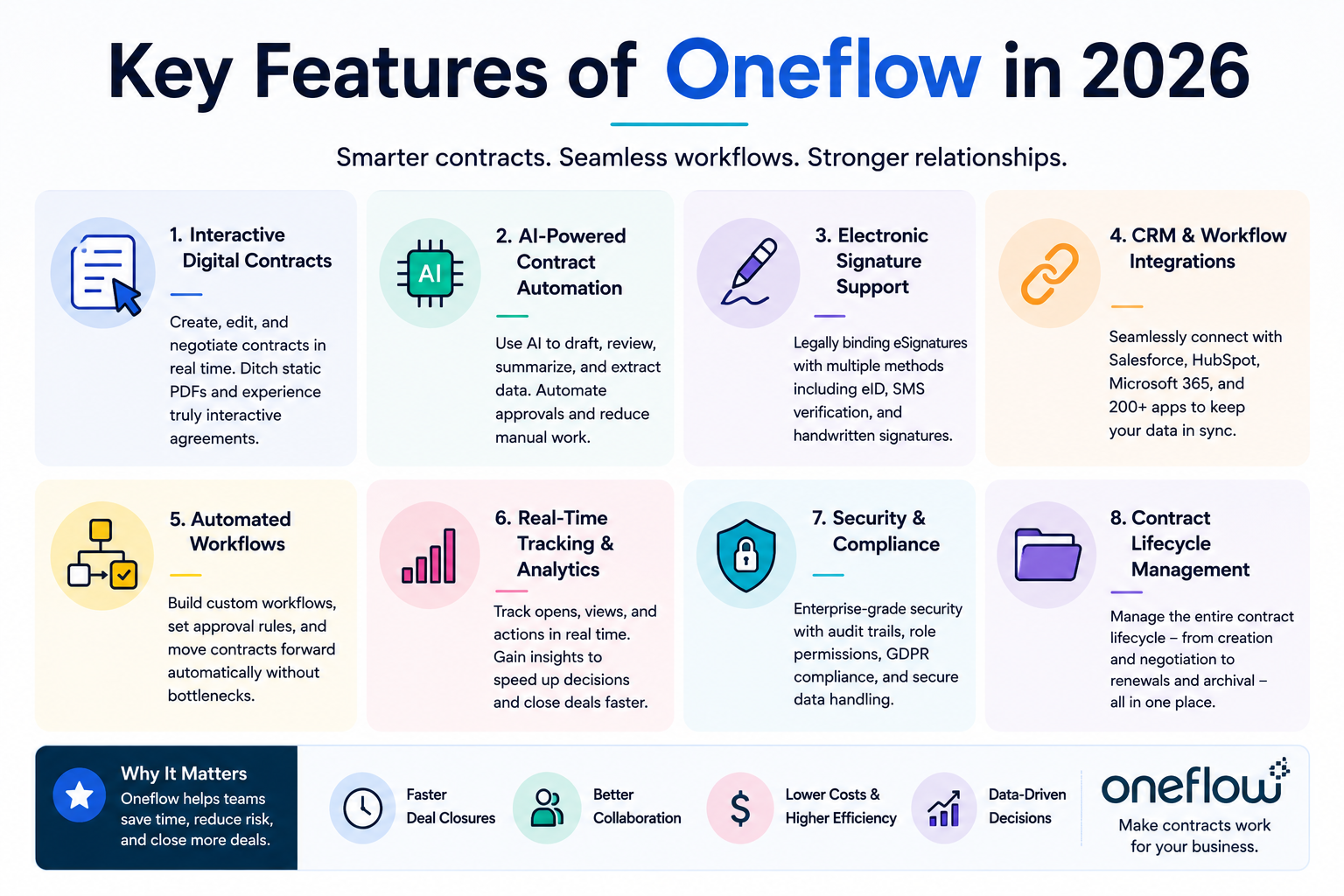
Oneflow packs a wide range of features aimed at improving contract lifecycle management. The platform focuses heavily on automation, collaboration, AI assistance, and integrations. While many competitors offer e-signature capabilities, Oneflow expands beyond signatures into full workflow optimization.
One of the biggest highlights is the ability to create truly interactive contracts. Users can edit documents in real time, track engagement metrics, and negotiate inside the platform without generating endless PDF versions. This dramatically reduces friction during contract discussions.
AI-powered capabilities are another major selling point. The platform now includes AI-assisted contract review, data extraction, smart suggestions, and automated workflows. Businesses handling large contract volumes can save significant time by automating repetitive legal and administrative tasks.
Electronic signature flexibility is another advantage. Oneflow supports standard electronic signatures, advanced electronic signatures, SMS verification, handwritten signatures, and electronic IDs. This flexibility makes the platform suitable for industries with strict compliance requirements.
The software also includes lifecycle management features such as renewal reminders, contract tracking, tagging, approvals, and retention policies. Businesses can avoid missing important deadlines or renewal windows because the system automatically keeps track of contract timelines.
Another standout feature is analytics. Teams can monitor when recipients open contracts, how long they spend reviewing sections, and where negotiations slow down. These insights can improve sales strategies and reduce delays in approvals.
Oneflow Pricing Plans Explained
Oneflow uses a subscription-based pricing model designed for different business sizes and needs. Pricing varies depending on features, integrations, security requirements, and team size. Based on current available pricing data, Oneflow offers flexible plans ranging from entry-level access to enterprise-grade solutions.
Plan
Starting Price
Best For
Key Features
Free
Free Trial Available
Small teams
E-signatures, basic workflows
Essentials
Around $20/user/month
Growing businesses
Templates, digital contracts, integrations
Business
Around $54/user/month or €250/month
Scaling organizations
Lifecycle management, AI tools, approvals
Enterprise
Custom Pricing
Large enterprises
SSO, SCIM API, advanced security
The Essentials plan focuses on streamlining contract workflows. It includes reusable templates, legally binding digital contracts, analytics, and standard integrations. This plan is ideal for startups or growing businesses that need efficient document management without enterprise-level complexity.
The Business plan expands functionality with lifecycle management, tagging systems, retention controls, advanced workflows, and premium integrations. Businesses handling larger contract volumes typically benefit most from this tier.
Enterprise plans target large organizations with advanced compliance and governance needs. Features like SSO, audit logs, AI review tools, shared templates, user groups, and custom admin roles make it suitable for multinational companies.
Compared to competitors like DocuSign or PandaDoc, Oneflow positions itself competitively by emphasizing workflow automation and interactive contracts rather than just signatures.
User Experience and Interface
Oneflow’s user interface is one of its strongest selling points. Many contract management platforms feel overwhelming because they are designed primarily for legal professionals. Oneflow takes a more modern and intuitive approach. The dashboard is clean, navigation is simple, and workflows are visually structured to minimize confusion.
Users consistently praise the platform for ease of use. Reviews across software marketplaces highlight how quickly teams can adapt to the system without extensive training. That matters because businesses lose productivity when employees struggle with overly technical software.
The editing experience feels closer to a collaborative document platform than a traditional legal tool. Teams can comment directly inside contracts, edit in real time, and negotiate collaboratively. This removes the frustrating cycle of downloading, editing, and emailing multiple versions.
Mobile accessibility is another important strength. Modern businesses operate across smartphones, tablets, and laptops. Oneflow allows users to review and sign agreements from almost anywhere. This flexibility speeds up deal closures because customers and stakeholders do not need to sit at a desktop computer to complete approvals.
The interface also integrates engagement tracking. Sales teams can see when clients open contracts or revisit certain sections. This creates valuable opportunities for follow-ups and faster negotiations.
Benefits of Using Oneflow
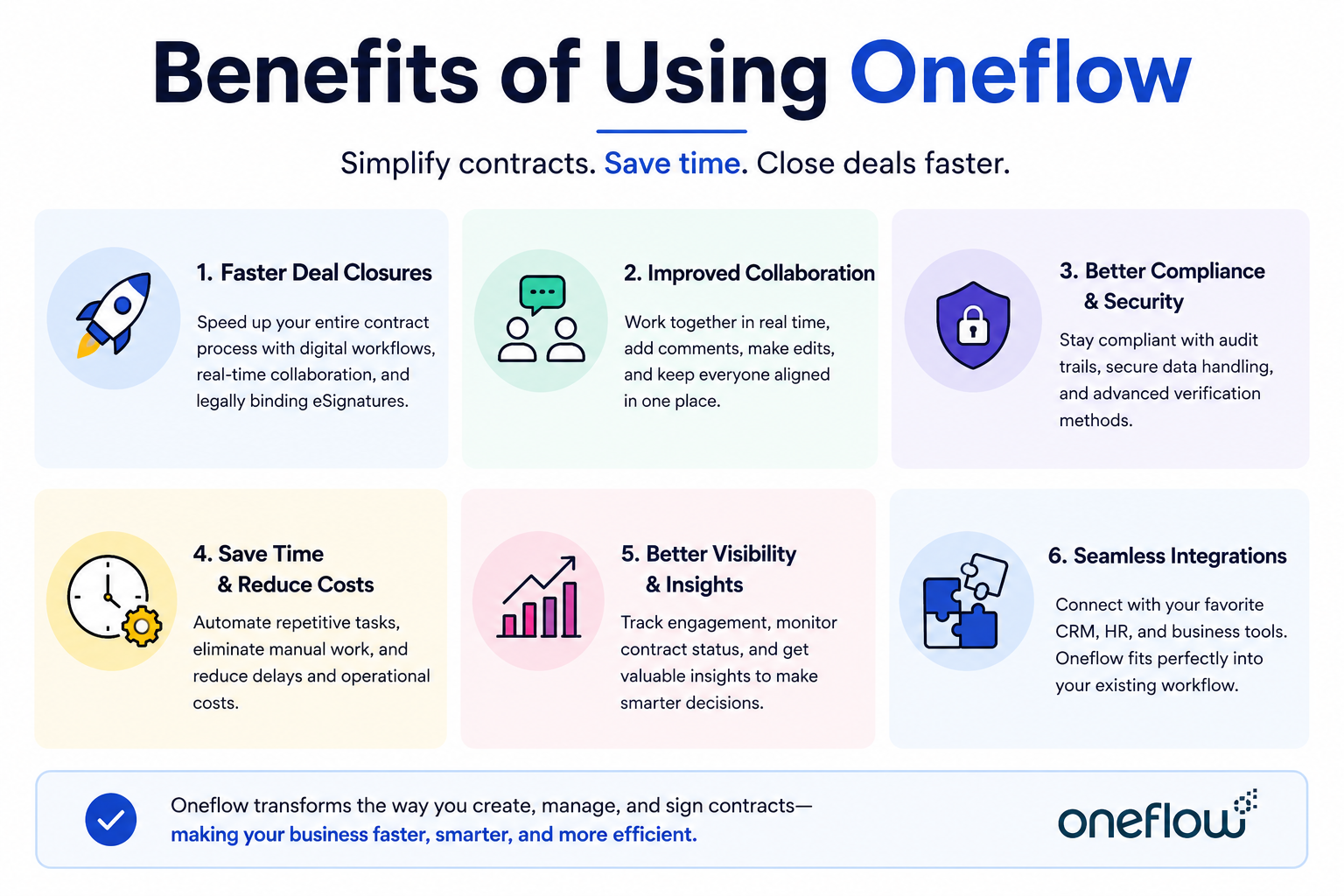
The biggest benefit of Oneflow is speed. Traditional contract processes often involve printing documents, collecting signatures manually, scanning files, and sending endless email attachments. Oneflow removes those bottlenecks by centralizing everything in one platform.
Faster deal closure is perhaps the most important advantage for sales teams. According to Oneflow customer testimonials, some businesses reduced proposal turnaround times dramatically after switching to the platform. Faster contracts often mean faster revenue generation.
Collaboration is another major advantage. Teams across departments can work on the same contract simultaneously. Legal teams can review clauses while sales teams negotiate pricing and procurement teams check approvals. This reduces communication gaps and speeds up decision-making.
Compliance and security improvements are equally valuable. Oneflow includes audit trails, identity verification options, and legally compliant electronic signatures. Businesses operating internationally benefit from support for advanced electronic IDs and verification systems.
Automation also saves enormous amounts of time. Instead of manually creating repetitive contracts, teams can use templates and automated workflows. AI tools further reduce administrative workload by extracting information and assisting with contract reviews.
Another underrated benefit is data visibility. Traditional contracts stored as PDFs often become isolated documents hidden in folders. Oneflow connects contracts directly with business systems, making information searchable and actionable.
Oneflow Integrations and API Capabilities
Integrations are critical in modern business software because companies rely on multiple platforms working together seamlessly. Oneflow performs strongly in this area by offering integrations with CRM systems, productivity tools, and workflow automation platforms.
Salesforce integration is one of the platform’s biggest advantages. Sales teams can generate contracts directly from CRM data, ensuring pricing and customer details stay consistent across systems. When a contract is signed, information automatically syncs back into Salesforce.
HubSpot integration offers similar functionality for marketing and sales teams. Businesses can automate contract generation using customer data already stored in their CRM. This reduces duplicate data entry and improves workflow efficiency.
Microsoft 365 integration allows users to create and manage contracts without leaving familiar Office applications. This improves productivity for teams already heavily invested in Microsoft’s ecosystem.
The public API is another important feature for larger organizations. Developers can build custom workflows and connect Oneflow with internal business systems. According to Oneflow’s API documentation, businesses can automate contract updates, sync data, and eliminate repetitive manual processes.
These integrations transform contracts from isolated documents into connected business assets that actively support sales, compliance, procurement, and operations.
Every software platform has strengths and weaknesses, and Oneflow is no exception. Understanding both sides helps businesses decide whether the platform matches their needs.
Pros
Cons
Interactive contracts instead of static PDFs
Enterprise features can be expensive
Strong CRM integrations
Learning curve for advanced workflows
AI-powered contract management
Some integrations require premium plans
Multiple electronic signature options
Smaller businesses may not need all features
Excellent collaboration tools
Advanced customization may need technical support
Mobile-friendly experience
Limited offline functionality
Oneflow shines in workflow automation and collaboration. Businesses wanting smarter contracts rather than simple e-signatures will appreciate the platform’s dynamic capabilities. AI tools and integrations also add significant value.
The biggest downside is pricing for advanced functionality. Smaller businesses with limited budgets may find enterprise-level features costly compared to basic e-signature tools. However, companies handling large contract volumes often recover those costs through efficiency improvements.
The contract management industry is crowded with competitors like DocuSign, PandaDoc, Adobe Acrobat Sign, and Dropbox Sign. Oneflow differentiates itself primarily through interactive contracts and workflow automation.
Feature
Oneflow
DocuSign
PandaDoc
Interactive Contracts
Yes
Limited
Moderate
AI Features
Advanced
Moderate
Moderate
CRM Integration
Strong
Strong
Strong
Real-Time Collaboration
Yes
Limited
Yes
Contract Lifecycle Management
Full CLM
Partial
Moderate
Electronic Signature Options
Multiple Types
Strong
Strong
DocuSign remains a dominant player in electronic signatures, but Oneflow focuses more heavily on connected workflows and contract automation. Businesses needing advanced lifecycle management may prefer Oneflow.
PandaDoc offers similar document collaboration features, but Oneflow’s API flexibility and AI-driven automation provide stronger enterprise appeal.
Oneflow is particularly attractive for businesses wanting contracts to function as operational assets instead of static documents.
Conclusion
Oneflow has evolved into one of the most capable contract lifecycle management platforms available in 2026. It combines AI-powered automation, collaborative editing, CRM integrations, electronic signatures, and workflow management into one unified platform. Businesses looking for more than just a signing tool will likely find strong value in its approach.
The platform is especially effective for sales-driven organizations, SaaS companies, HR teams, and enterprises managing large contract volumes. Its ability to transform contracts into connected, interactive business assets makes it stand out in a crowded market.
Pricing may feel high for smaller businesses, especially when accessing advanced features. Still, organizations handling complex workflows or high contract volumes can save substantial time and reduce administrative costs through automation.
If your business struggles with slow approvals, scattered documents, or repetitive contract administration, Oneflow is definitely worth considering in 2026.
Frequently Asked Question
What is Oneflow used for?
Oneflow is used for contract lifecycle management, electronic signatures, workflow automation, and collaborative contract editing.
Does Oneflow support legally binding e-signatures?
Yes, Oneflow supports legally binding electronic signatures, including standard e-signatures, SMS verification, and electronic IDs.
How much does Oneflow cost in 2026?
Pricing varies by plan, with entry-level plans starting around $20 per user per month and enterprise pricing available on request.
Which CRMs integrate with Oneflow?
Oneflow integrates with Salesforce, HubSpot, Microsoft 365, and several other productivity and CRM platforms.
Is Oneflow suitable for small businesses?
Yes, smaller businesses can benefit from Oneflow’s automation and templates, although advanced enterprise features may be more useful for larger organizations.