Woodpecker

How to Use Woodpecker for High-Converting B2B Lead Generation

Learn how to use Woodpecker to create high-converting B2B lead generation campaigns with smart automation, personalized outreach, and effective follow-up strategies. This guide explores proven techniques to boost email response rates, improve deliverability, and turn cold prospects into valuable business clients using Woodpecker.

Understanding B2B Lead Generation

What is B2B Lead Generation?

B2B lead generation is like fishing in a vast ocean—but instead of catching random fish, you're targeting the exact species you want. In simple terms, it’s the process of identifying and attracting potential business clients who are likely to be interested in your product or service. Unlike B2C marketing, where emotions often drive purchases, B2B decisions are more logical, data-driven, and involve multiple stakeholders. That’s why precision and personalization matter so much here.

Think about it—would a CEO respond to a generic email blast? Probably not. But a carefully crafted message that speaks directly to their business pain points? That’s where things get interesting. B2B lead generation requires a strategic mix of tools, content, and outreach methods. One of the most effective methods even today is cold email outreach, especially when powered by smart tools like Woodpecker.

The real goal isn’t just to generate leads—it’s to generate high-quality leads that convert. That means understanding your audience deeply, knowing their challenges, and offering solutions in a way that feels natural, not pushy. When done right, B2B lead generation becomes less about selling and more about building meaningful business relationships.

Why Cold Email Still Works in 2026

You might be wondering—does cold emailing still work in a world dominated by AI, social media, and automation? The answer is a strong yes. In fact, cold email remains one of the highest ROI channels in B2B marketing. Why? Because it’s direct, personal, and scalable when done correctly.

Unlike social media algorithms that limit your reach, emails land directly in your prospect’s inbox. That’s powerful. But here’s the catch—only well-crafted, personalized emails get opened and replied to. Generic templates are quickly ignored or marked as spam.

Modern tools like Woodpecker have transformed cold emailing from a tedious manual task into a streamlined, intelligent process. They allow you to automate outreach while maintaining a human touch. With features like personalization, scheduling, and follow-ups, you can reach hundreds of prospects without losing authenticity.

Statistics show that personalized email campaigns can increase response rates by over 30%. That’s huge. It proves that people still value meaningful communication—even in a digital age. So, if you’re not using cold email as part of your B2B strategy, you’re leaving serious opportunities on the table.

Introduction to Woodpecker

What is Woodpecker?

Woodpecker is a specialized cold email automation tool designed specifically for B2B outreach. Imagine having a smart assistant that sends emails, follows up automatically, and tracks responses—all while ensuring your emails don’t land in spam. That’s essentially what Woodpecker does.

It’s not just another email marketing tool. Unlike bulk email platforms, Woodpecker focuses on one-to-one communication at scale, which is crucial for B2B success. It integrates with your email provider and allows you to send personalized emails that feel natural and conversational.

The platform is especially popular among sales teams, marketers, and agencies who rely heavily on outbound strategies. Whether you’re generating leads, booking meetings, or nurturing prospects, Woodpecker provides the tools you need to make your outreach effective and efficient.

What makes it stand out is its simplicity combined with powerful features. You don’t need to be a tech expert to use it, yet it offers advanced capabilities like A/B testing, automated follow-ups, and detailed analytics.

Key Features of Woodpecker

Woodpecker is packed with features that are designed to maximize your outreach success. One of the most important features is automated follow-ups, which ensures you never miss an opportunity just because someone didn’t reply the first time. Most replies actually come after the second or third follow-up, so this feature alone can significantly boost your conversion rates.

Another standout feature is personalization. You can customize emails using variables like the recipient’s name, company, or industry. This makes your emails feel less like a mass campaign and more like a personal conversation.

The platform also offers email tracking and analytics, allowing you to see who opened your email, clicked your links, or replied. This data is invaluable for optimizing your campaigns.

Additionally, Woodpecker includes email verification and deliverability tools to ensure your emails reach the inbox instead of the spam folder. Combined with its intuitive interface and integration capabilities, it becomes a complete solution for B2B lead generation.

Setting Up Woodpecker for Success

Creating Your Account

Getting started with Woodpecker is surprisingly simple, but setting it up correctly can make a huge difference in your results. First, you create an account and choose a plan that suits your needs. Whether you're a solo entrepreneur or part of a large sales team, there’s a plan designed for you.

Once you’re in, the dashboard greets you with a clean and user-friendly interface. This is where all your campaigns, prospects, and analytics will live. Take some time to explore the dashboard—it’s like familiarizing yourself with the cockpit before flying a plane.

During the setup process, you’ll also configure your sender details. This includes your name, email signature, and other elements that make your emails look professional and trustworthy. Remember, first impressions matter—even in email.

A well-configured account sets the foundation for successful campaigns. It ensures consistency, professionalism, and better deliverability right from the start.

Connecting Your Email

Connecting your email account is one of the most critical steps. Woodpecker integrates with popular email providers like Gmail and Outlook, allowing you to send emails directly from your own inbox. This is important because it keeps your outreach authentic and avoids the “mass email” look.

Once connected, you’ll need to set sending limits. Sending too many emails too quickly can trigger spam filters, so it’s important to start slow and scale gradually. Think of it like warming up before a workout—you don’t want to jump straight into heavy lifting.

Woodpecker also allows you to set sending schedules, ensuring your emails are sent at optimal times. Timing can significantly impact open rates, so this feature is more powerful than it might seem.

By properly connecting and configuring your email, you ensure that your campaigns run smoothly and your messages actually reach your prospects.

Building a High-Quality Prospect List

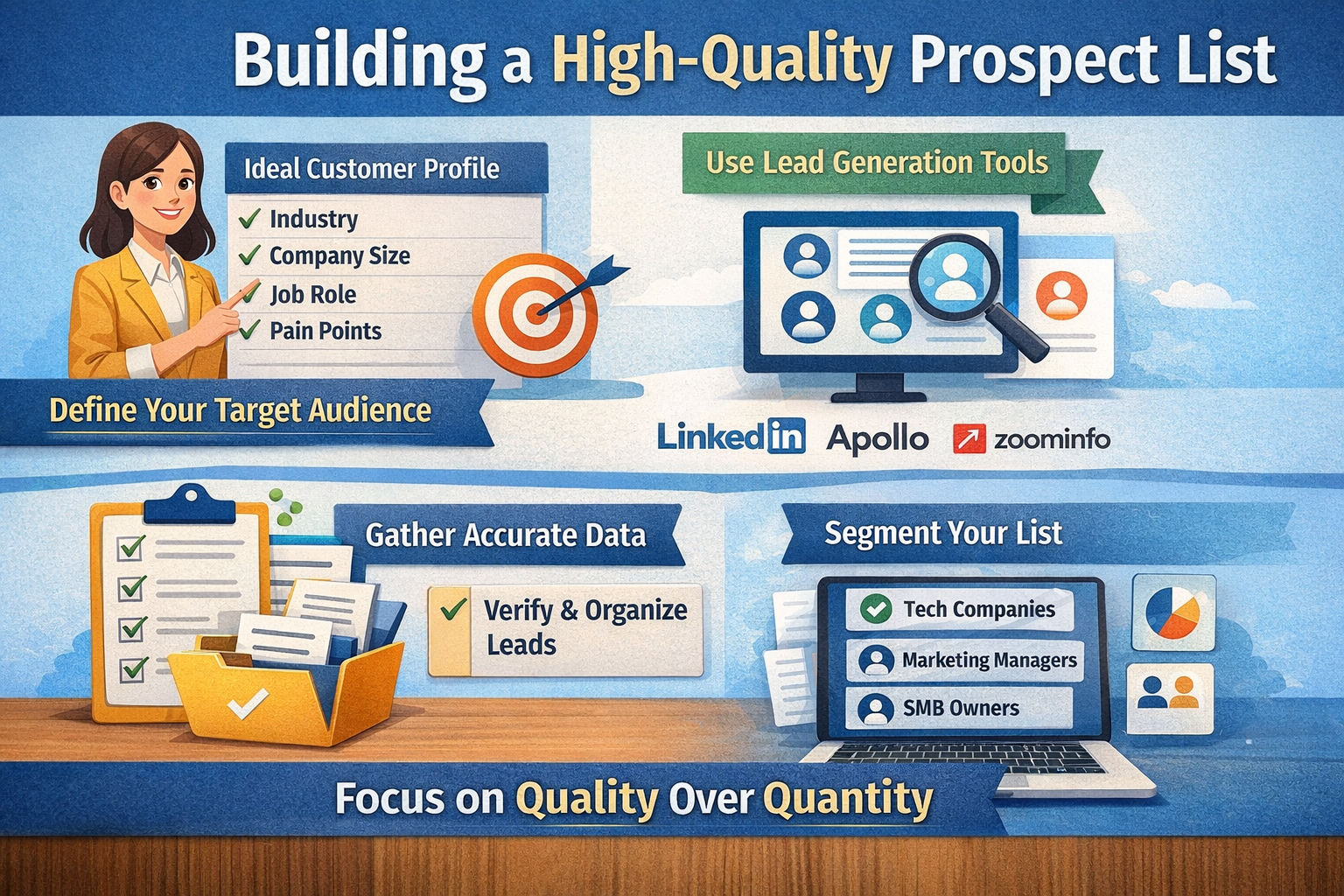
Importance of Targeting the Right Audience

Imagine trying to sell ice to someone in Antarctica—it just doesn’t make sense. That’s exactly what happens when you target the wrong audience in B2B lead generation. The quality of your prospect list directly impacts your campaign success.

A well-targeted list ensures that your emails are relevant, increasing the chances of engagement and conversion. It’s not about quantity; it’s about quality. Sending 100 highly targeted emails is far more effective than sending 1,000 generic ones.

To build a strong prospect list, you need to define your ideal customer profile (ICP). This includes factors like industry, company size, job role, and pain points. The more specific you are, the better your results will be.

When your targeting is precise, your emails feel like they were written specifically for the recipient. And that’s exactly what you want.

Tools to Find B2B Leads

There are several tools available to help you find high-quality B2B leads. Platforms like LinkedIn, Apollo, and ZoomInfo are popular choices. These tools allow you to filter prospects based on various criteria, making it easier to build a targeted list.

You can also use Google searches, industry directories, and company websites to find potential leads. The key is to gather accurate and up-to-date information.

Once you have your list, import it into Woodpecker and organize it into segments. Segmentation allows you to tailor your messaging for different groups, increasing relevance and engagement.

A strong prospect list is like a solid foundation—it supports everything else in your campaign.

Crafting High-Converting Email Campaigns

Writing Personalized Cold Emails

Writing a cold email is both an art and a science. You need to grab attention, build interest, and encourage action—all within a few sentences. Sounds challenging, right? But with the right approach, it becomes much easier.

Start with a compelling subject line. This is the first thing your recipient sees, so it needs to be intriguing and relevant. Avoid spammy phrases and focus on value.

In the email body, keep it simple and conversational. Use personalization to make the email feel tailored. Mention something specific about the recipient or their company to show that you’ve done your research.

End with a clear call-to-action. Whether it’s booking a call or replying to the email, make it easy for the recipient to take the next step.

Structuring Email Sequences

A single email is rarely enough. That’s why email sequences are so important. A sequence is a series of emails sent over time, designed to nurture the prospect and increase the chances of a response.

Start with an introduction email, followed by one or two follow-ups. Each email should add value and provide a reason for the recipient to engage.

Spacing is crucial. Don’t send emails too frequently, but don’t wait too long either. A gap of 2–3 days is usually effective.

With Woodpecker, you can automate these sequences, ensuring consistency and saving time.

Automation and Follow-Ups

Why Follow-Ups Matter

Most people don’t reply to the first email—and that’s completely normal. They might be busy, distracted, or simply not ready to respond. That’s where follow-ups come in.

Follow-ups act as gentle reminders. They keep your message at the top of the recipient’s inbox without being pushy. In fact, many successful campaigns get the majority of their replies from follow-up emails.

The key is to keep your follow-ups polite and value-driven. Don’t just say “checking in.” Instead, offer additional insights or ask a meaningful question.

Setting Smart Automation Rules

Woodpecker allows you to set automation rules that trigger actions based on recipient behavior. For example, you can stop sending emails once someone replies or clicks a link.

This ensures that your campaigns remain relevant and respectful. Automation doesn’t mean losing the human touch—it means enhancing it.

By setting smart rules, you can focus on building relationships while the tool handles repetitive tasks.

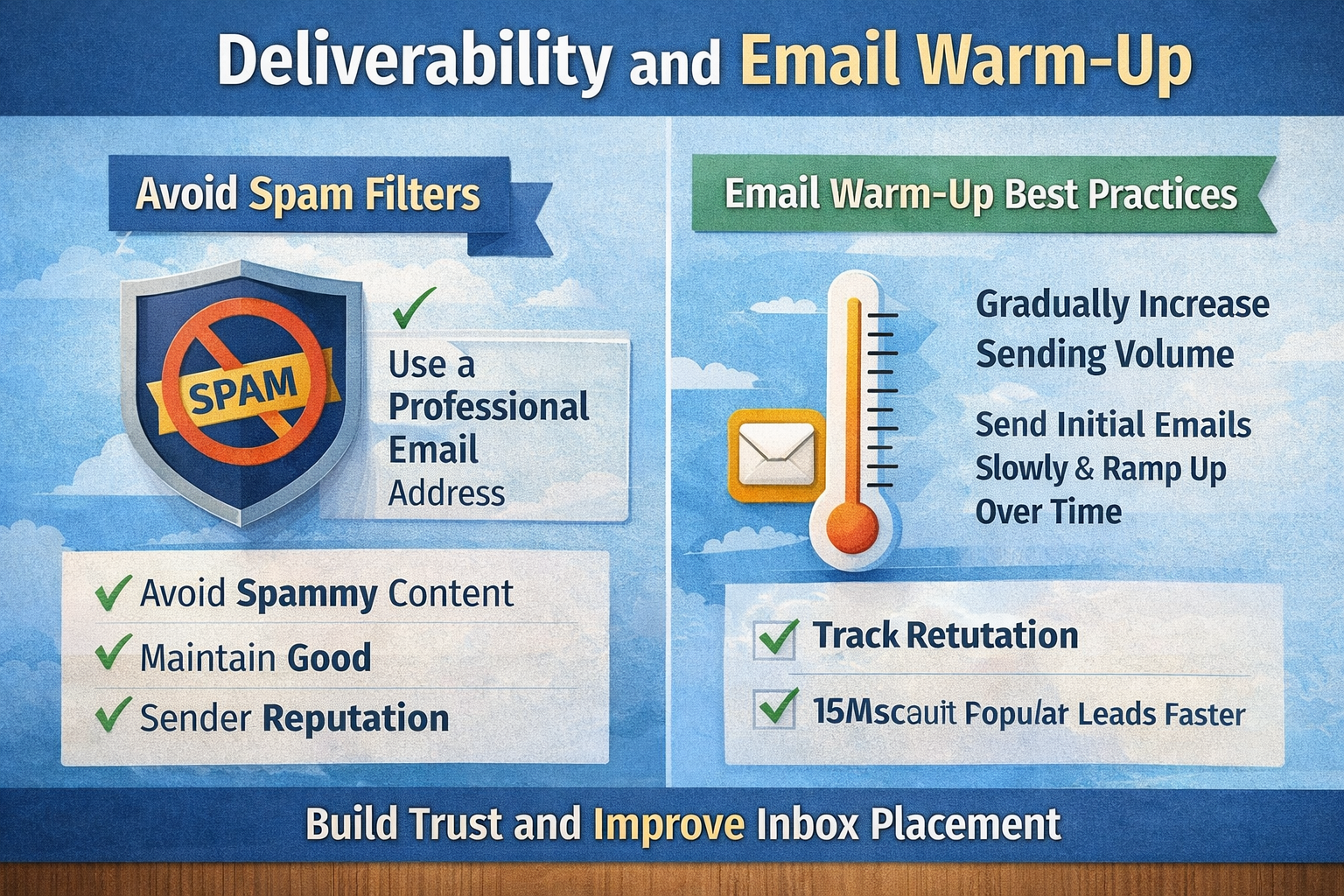
Deliverability and Email Warm-Up

Avoiding Spam Filters

Email deliverability is one of the biggest challenges in cold outreach. If your emails land in spam, your efforts are wasted. That’s why it’s important to follow best practices.

Avoid spammy language, use a professional email address, and maintain a good sender reputation. Small details can make a big difference.

Best Practices for Email Warm-Up

Email warm-up involves gradually increasing your sending volume to build trust with email providers. Start with a small number of emails and increase gradually over time.

Woodpecker offers built-in tools to help with this process, ensuring your emails reach the inbox.

Tracking Performance and Analytics

Key Metrics to Monitor

Tracking performance is essential for improvement. Key metrics include open rates, reply rates, and click-through rates.

These metrics provide insights into what’s working and what’s not. For example, a low open rate might indicate a weak subject line.

Optimizing Campaigns

Use the data to refine your campaigns. Test different subject lines, email content, and sending times.

Continuous optimization is the key to long-term success.

Scaling Your B2B Lead Generation

Using Multiple Campaigns

As you grow, you can run multiple campaigns targeting different segments. This allows you to reach a wider audience without compromising personalization.

Team Collaboration Features

Woodpecker supports team collaboration, making it easier for sales teams to work together and manage campaigns efficiently.

Customer Support and User Experience

Over-Automation

Automation is powerful, but overusing it can make your emails feel robotic. Always maintain a human touch.

Poor Targeting

Even the best email won’t work if it’s sent to the wrong audience. Focus on quality over quantity.

Conclusion

Using Woodpecker for B2B lead generation is like having a powerful engine driving your outreach strategy. It combines automation, personalization, and analytics to help you connect with the right prospects at the right time. But the tool alone isn’t enough—you need a solid strategy, compelling messaging, and a deep understanding of your audience.

When everything comes together, the results can be transformative. You’ll not only generate more leads but also build meaningful relationships that drive long-term business growth.

Frequently Asked Question

Is Woodpecker suitable for beginners?

Yes, Woodpecker is user-friendly and offers a simple interface, making it suitable for beginners as well as experienced marketers.

How many emails can I send per day?

Absolutely. Its massive proxy network supports large-scale, high-volume data collection.

How does Bright Data help with SEO?

With the SERP API, marketers can track keywords, ads, and rankings across regions.

What industries benefit the most from Bright Data?

E-commerce, finance, marketing, and research institutions gain the most value.

Does Bright Data require coding knowledge?

Not necessarily. Bright Data provides no-code solutions for non-technical users.

Shopping Basket

times.software

Table of Contents