HubSpot: The Ultimate Guide for Marketing Automation in 2026
HubSpot: The Ultimate Guide for Marketing Automation in 2026
Discover how HubSpot is transforming marketing automation in 2026 with powerful AI tools, smart workflows, and an all-in-one CRM platform. This guide explores key features, benefits, pricing, and strategies to help businesses streamline campaigns, generate leads, and boost conversions using HubSpot.
When we talk about marketing automation in 2026, one name consistently stands out—HubSpot. It’s not just another software tool; it’s more like the central nervous system of modern digital marketing. HubSpot combines CRM, email marketing, content management, automation, analytics, and customer service into one unified platform. Think of it as your all-in-one command center where everything from attracting visitors to converting leads and delighting customers happens seamlessly.
What makes HubSpot truly powerful is how it simplifies complex marketing processes. Instead of juggling multiple tools, marketers can automate repetitive tasks, personalize campaigns, and track customer journeys in one place. Whether you’re running a small startup or managing a global enterprise, HubSpot adapts to your needs. And in today’s fast-paced digital environment, that flexibility is everything.
Why HubSpot Matters in 2026
Marketing in 2026 is no longer about blasting generic emails or posting random content. It’s about personalization, automation, and data-driven decisions. HubSpot sits right at the center of this transformation. With AI-powered features, smarter workflows, and deeper analytics, it helps businesses stay ahead of the competition.
Imagine being able to predict what your customer wants before they even click—that’s the level HubSpot is operating on today. Businesses using advanced automation platforms like HubSpot are seeing higher engagement rates, improved conversions, and better ROI. It’s not just a tool anymore; it’s a growth engine.
Evolution of Marketing Automation
From Email Tools to AI Platforms
Let’s rewind a bit. Marketing automation started with simple email autoresponders. You’d send a welcome email, maybe a follow-up, and that was considered “automation.” Fast forward to 2026, and things look dramatically different. Today’s tools analyze behavior, segment audiences dynamically, and trigger actions based on real-time data.
Automation has evolved into something far more intelligent. It’s like moving from a bicycle to a self-driving car. Instead of manually steering every campaign, marketers now rely on AI to guide decisions. This shift has changed not only how businesses operate but also how customers experience brands.
HubSpot’s Role in This Evolution
HubSpot has played a major role in shaping this evolution. It didn’t just follow trends—it helped create them. By introducing inbound marketing, integrated CRM systems, and AI-driven automation, HubSpot redefined how businesses connect with customers.
The platform continuously adapts to new technologies, ensuring users always have access to cutting-edge tools. In 2026, HubSpot isn’t just keeping up with marketing trends—it’s setting them.
Core Features of HubSpot
CRM Integration
At the heart of HubSpot lies its powerful CRM system. Unlike traditional CRMs that feel clunky and complicated, HubSpot’s CRM is intuitive and user-friendly. It tracks every interaction a customer has with your brand, from website visits to email opens.
This level of insight allows businesses to understand their audience better. You can see exactly where a lead is in the sales funnel and tailor your messaging accordingly. It’s like having a detailed map of your customer’s journey.
Marketing Automation Tools
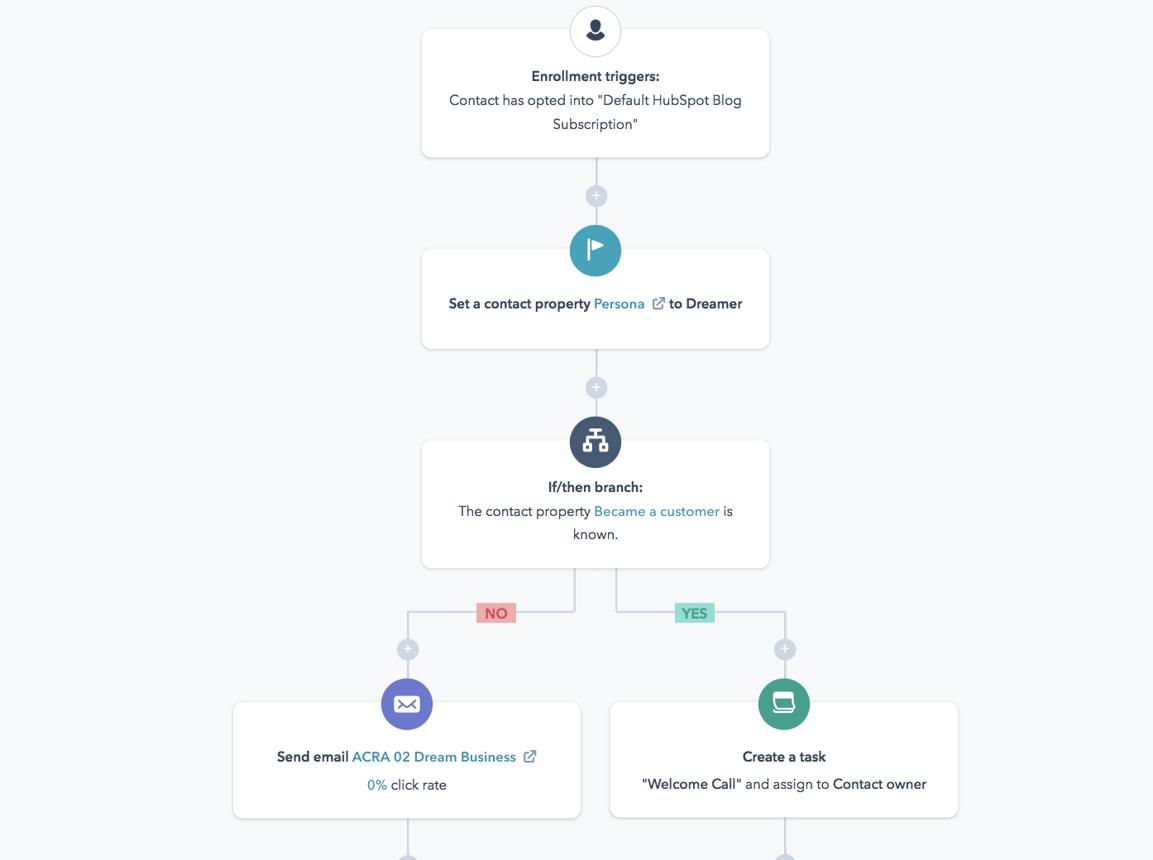
HubSpot’s automation tools are where the magic happens. You can create workflows that trigger actions based on user behavior. For example, if someone downloads an ebook, they can automatically receive a series of follow-up emails designed to nurture them into a paying customer.
These tools save time and ensure consistency. Instead of manually sending emails or updating lists, everything runs on autopilot. And the best part? It feels personal to the customer.
Sales and Service Hubs
HubSpot isn’t just for marketing—it also includes Sales and Service Hubs. These tools help sales teams close deals faster and support teams provide better customer experiences. Everything is connected, which means no more silos or miscommunication.
HubSpot Marketing Automation Explained
Workflows and Automation
Workflows are the backbone of HubSpot automation. They allow you to design complex processes with simple drag-and-drop tools. Whether it’s sending emails, assigning tasks, or updating contact records, workflows handle it all.
Think of workflows as a chain reaction. One action triggers another, creating a seamless experience for both marketers and customers.
Lead Nurturing
Lead nurturing is where HubSpot truly shines. Instead of pushing for a sale immediately, it focuses on building relationships. Automated email sequences provide value, educate prospects, and gradually guide them toward a purchase.
This approach increases trust and improves conversion rates. After all, people are more likely to buy from brands they trust.
Behavioral Targeting
HubSpot tracks user behavior in real-time. This means you can send highly targeted messages based on what users do on your website. If someone visits a pricing page multiple times, you can trigger a special offer or demo invitation.
It’s like having a salesperson who knows exactly what the customer wants.
Benefits of Using HubSpot
Time Efficiency
One of the biggest advantages of HubSpot is the time it saves. Automation handles repetitive tasks, freeing up marketers to focus on strategy and creativity. Instead of spending hours on manual work, you can invest that time in growing your business.
Better Lead Conversion
With personalized campaigns and data-driven insights, HubSpot significantly improves lead conversion rates. Businesses can deliver the right message at the right time, increasing the chances of turning prospects into customers.
HubSpot Pricing and Plans
Free vs Paid Plans
HubSpot offers a free plan with basic features, making it accessible for beginners. Paid plans unlock advanced tools like automation, analytics, and AI features.
Cost Comparison Table
Plan Type
Features
Best For
Free Plan
CRM, email marketing
Beginners
Starter
Basic automation
Small businesses
Professional
Advanced workflows
Growing teams
Enterprise
Full AI & analytics
Large organizations
HubSpot vs Competitors
HubSpot vs Salesforce
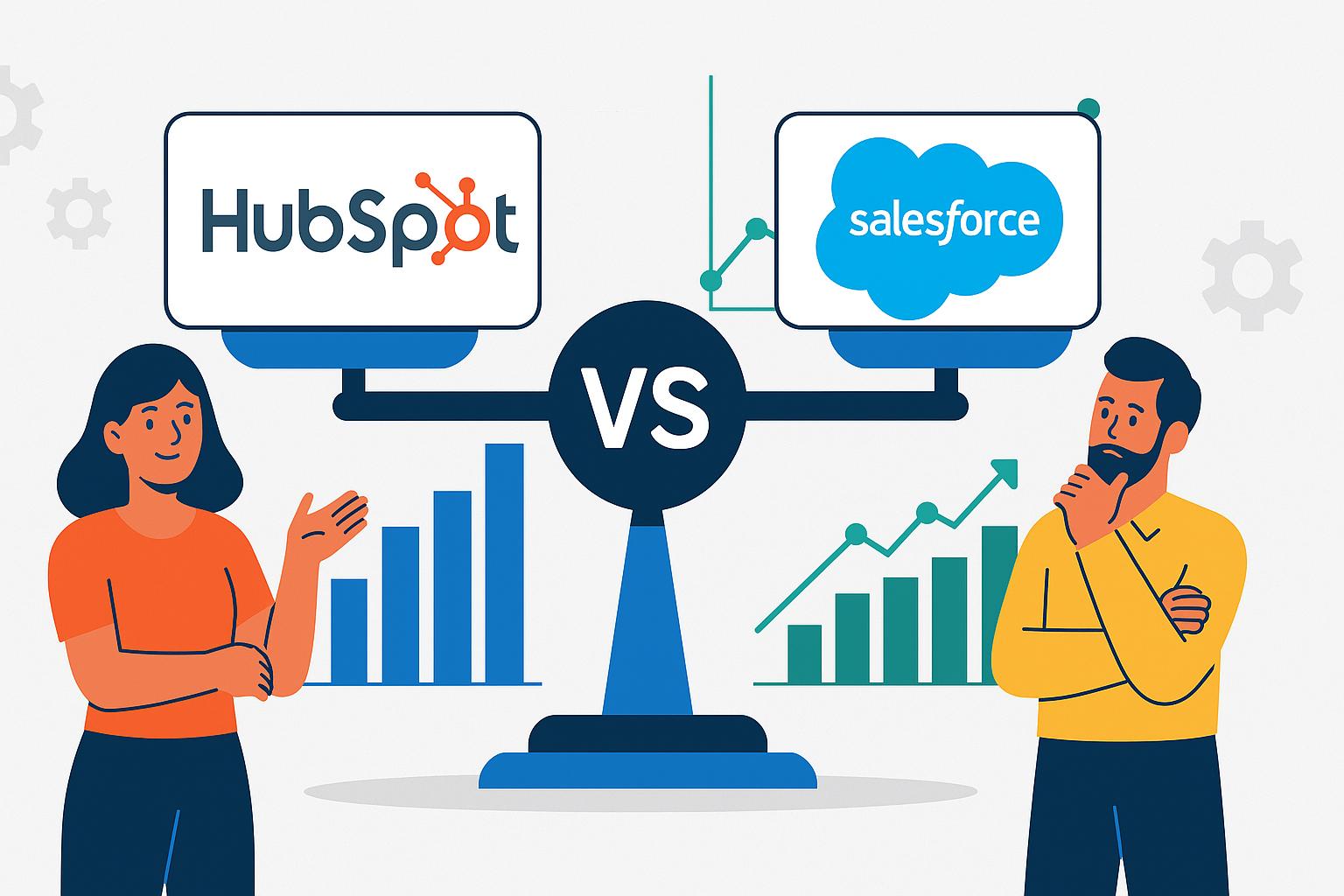
While Salesforce is powerful, it can be complex and expensive. HubSpot, on the other hand, focuses on ease of use and integration. It’s perfect for businesses that want powerful tools without the steep learning curve.
HubSpot vs Mailchimp
Mailchimp is great for email marketing, but it lacks the full ecosystem HubSpot offers. HubSpot combines email, CRM, and automation in one platform, making it a more comprehensive solution.
HubSpot for Small Businesses
Why Startups Love HubSpot
Startups love HubSpot because it’s scalable and easy to use. You can start with the free plan and upgrade as your business grows. It’s like having a tool that grows with you, rather than holding you back.
For large organizations, HubSpotoffers advanced features like predictive analytics, custom reporting, and AI-driven insights. These tools help enterprises make smarter decisions and optimize their marketing strategies.
In 2026, HubSpot’s AI tools can generate content, optimize campaigns, and even suggest strategies. It’s like having a virtual marketing assistant working 24/7.
Predictive Analytics
Predictive analytics allows businesses to anticipate customer behavior. By analyzing past data, HubSpot can forecast future trends and help marketers stay ahead.
How to Get Started with HubSpot
Step-by-Step Setup Guide
Getting started with HubSpot is surprisingly simple. First, create an account and set up your CRM. Next, import your contacts and segment them based on your criteria. Then, design your first workflow and start automating your campaigns.
It’s like setting up a machine that works for you around the clock.
Common Mistakes to Avoid
Automation Overload
One common mistake is over-automation. While automation is powerful, too much of it can feel robotic. It’s important to balance automation with a human touch.
Conclusion
HubSpot has transformed the way businesses approach marketing automation. In 2026, it stands as a powerful, all-in-one platform that combines AI, CRM, and automation into a seamless experience. Whether you’re a small business or a global enterprise, HubSpot offers the tools you need to grow, engage, and succeed. The real question isn’t whether you should use HubSpot—it’s how soon you can start.
Frequently Asked Question
Is Bright Data legal to use?
Yes, Bright Data operates within legal frameworks and ensures compliance for all its users.
Can Bright Data handle millions of requests?
Absolutely. Its massive proxy network supports large-scale, high-volume data collection.
How does Bright Data help with SEO?
With the SERP API, marketers can track keywords, ads, and rankings across regions.
What industries benefit the most from Bright Data?
E-commerce, finance, marketing, and research institutions gain the most value.
Does Bright Data require coding knowledge?
Not necessarily. Bright Data provides no-code solutions for non-technical users.