How Animoto Helps Brands Create Professional Videos in Minutes

Learn how Animoto makes it easy for brands to create professional, engaging videos in minutes without any editing experience. This blog post explains how Animoto’s templates, drag-and-drop editor, and built-in branding tools help businesses boost visibility, increase engagement, and simplify their video marketing strategy.

What Is Animoto?

If you’ve ever felt overwhelmed by video editing software, you’re not alone. Creating professional videos used to mean expensive tools, complex timelines, and hours of editing. That’s where Animoto steps in.

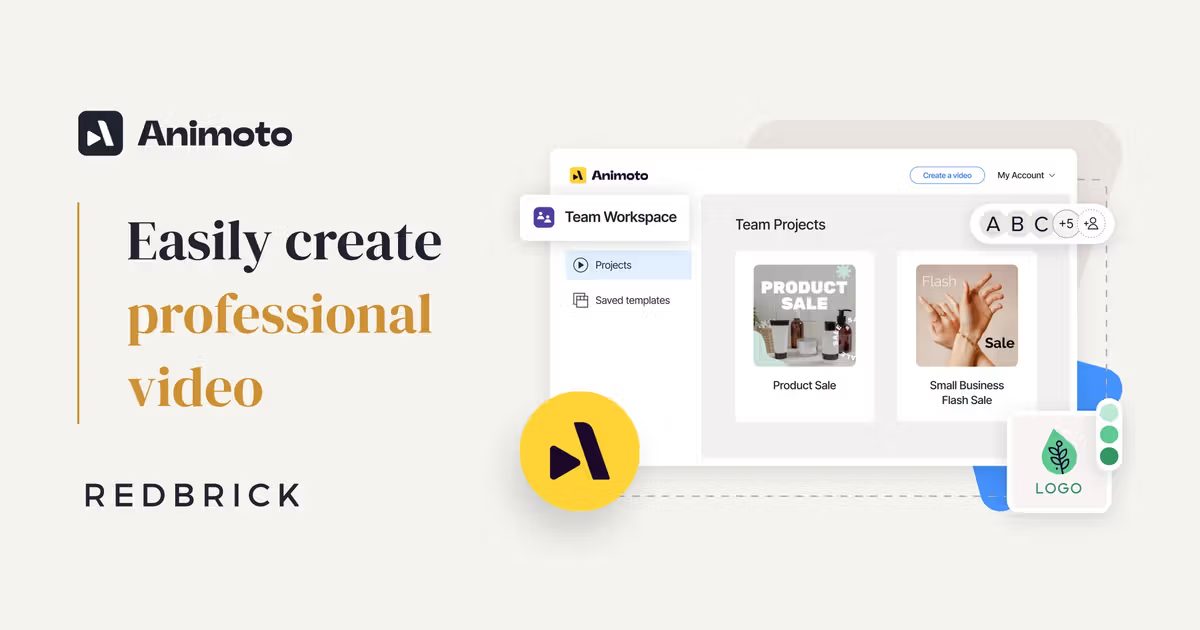
Animoto is an online video creation platform that allows brands, marketers, and small businesses to create stunning, professional-quality videos in minutes — without any technical expertise. It’s simple, browser-based, and built for speed.

Think of it like Canva, but for videos.

Why Video Marketing Matters Today

Let’s be honest — when was the last time you stopped to read a long block of text online? Exactly.

Video grabs attention faster than anything else. It’s dynamic, emotional, and memorable. Studies consistently show that video increases engagement, boosts conversions, and builds stronger brand trust.

If content is king, video is the crown jewel.

The Rise of Video Marketing for Brands

Consumer Attention Spans and Visual Content

People scroll fast. Really fast. If your content doesn’t hook them in three seconds, they’re gone. Video delivers your message quickly, clearly, and visually.

Social Media Algorithms Favor Video

Platforms prioritize video content because users spend more time watching it.

Instagram and Facebook

Short-form video content thrives here. Reels and video ads outperform static posts.

YouTube and TikTok

Platforms like YouTube and TikTok are built entirely around video. Brands that ignore this shift are simply leaving money on the table.

Key Features of Animoto

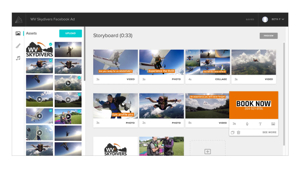
Drag-and-Drop Video Builder

No complicated timelines. No confusing tools. Just drag, drop, and done.

Animoto’s intuitive interface lets you add images, video clips, and text blocks effortlessly.

Professional Templates

Don’t know where to start? No problem.

Animoto offers ready-made templates for promotions, testimonials, product launches, and social ads. These templates are designed by professionals, so your video already looks polished before you even begin editing.

Licensed Music Library

Music sets the mood. Animoto includes a library of licensed tracks so you can enhance your message without worrying about copyright issues.

Brand Customization Tools

Consistency builds recognition.

Logo Integration

Add your logo with one click. Place it wherever it fits best.

Brand Colors and Fonts

You can save your brand colors and fonts, ensuring every video aligns with your visual identity.

How Animoto Simplifies the Video Creation Process

Step 1: Choose a Template

Start by selecting a layout that fits your goal. Selling a product? There’s a template for that. Promoting an event? Covered.

Step 2: Upload Media

Upload your photos and clips. Drag them into place. Rearrange as needed.

Step 3: Customize and Edit

Add text overlays, transitions, music, and branding. Adjust timing with simple sliders.

Step 4: Export and Share

Download in high resolution or publish directly to social media platforms. Done in minutes.

Benefits of Using Animoto for Businesses

Saves Time and Money

Hiring a video production team can cost thousands. Animoto reduces that cost dramatically.

No Technical Skills Required

You don’t need editing experience. If you can use PowerPoint, you can use Animoto.

Increases Engagement and Conversions

Video content often leads to higher click-through rates and better conversion performance. A product demo video can outperform static images every time.

Animoto for Different Industries

E-commerce Brands

Show products in action. Highlight features. Build excitement.

Real Estate Agencies

Create virtual property showcases that feel immersive.

Coaches and Consultants

Share testimonials, educational snippets, and brand stories.

Small Local Businesses

Promote offers, announce events, and engage the community.

Animoto vs Traditional Video Production

Cost Comparison

Traditional video production involves cameras, editors, lighting, and crews. Animoto requires only a subscription.

Time Efficiency

Instead of weeks, you can produce videos in under an hour.

Flexibility and Control

Want to change something? Edit instantly without scheduling another shoot.

Tips to Maximize Results with Animoto

Keep Videos Short and Clear

Attention spans are short. Aim for 30–60 seconds.

Use Strong Calls to Action

Tell viewers exactly what to do next — shop now, sign up, learn more.

Optimize for Social Platforms

Different platforms require different aspect ratios. Customize accordingly.

Common Mistakes to Avoid

Overloading Text

Keep text minimal. Let visuals speak.

Ignoring Branding Consistency

Stick to your brand colors and fonts.

Skipping Mobile Optimization

Most viewers watch on mobile. Make sure text is readable on small screens.

Pricing and Plans Overview

Free Plan

Test the platform with basic features.

Professional Plans

Unlock HD downloads, branding tools, and premium templates.

Business Solutions

Advanced features for teams and agencies.

Final Thoughts on Animoto

Animoto removes the intimidation factor from video creation. It democratizes professional video production. Whether you’re a startup founder, marketer, or small business owner, it gives you creative power without the technical headache.

It’s like having a mini production studio in your browser.

Conclusion

Video marketing isn’t optional anymore — it’s essential. And the biggest barrier for most brands isn’t creativity. It’s complexity.

Animoto breaks that barrier.

With its drag-and-drop builder, professional templates, and built-in branding tools, brands can create engaging, high-quality videos in minutes instead of weeks. It saves time, cuts costs, and increases impact.

If you want professional videos without professional stress, Animoto might be exactly what you need.

Frequently Asked Question

Is Animoto good for beginners?

Yes, it’s designed for non-technical users. No editing experience is required.

2. Can I use Animoto for social media ads?

Absolutely. Many templates are optimized specifically for social media advertising.

Does Animoto provide royalty-free music?

Yes, it includes a licensed music library for commercial use.

How long does it take to create a video?

Most users can create a professional-looking video within 15–30 minutes.

Is Animoto worth it for small businesses?

For businesses that need frequent video content without high production costs, it’s a highly cost-effective solution.

Shopping Basket

times.software

Table of Contents