Animoto Tips and Tricks to Create Engaging Videos That Convert
Boost your video marketing strategy with these powerful Animoto tips designed to help you create engaging, high-converting videos. This guide covers everything from choosing the right templates and crafting compelling scripts to optimizing visuals, audio, and CTAs—making it perfect for beginners and marketers looking to maximize results with Animoto.
What is Animoto and Why It Matters for Video Marketing
Overview of Animoto
If you’ve ever felt overwhelmed by video editing tools, you’re not alone. That’s exactly where Animotoshines. It’s a cloud-based video creation platform designed for beginners and professionals alike, allowing users to turn images, clips, and text into polished marketing videos in minutes. No complicated software, no steep learning curve—just drag, drop, and customize.
Animoto simplifies the entire video creation process by offering ready-made templates, licensed music, and intuitive editing features. Whether you're a small business owner, marketer, or content creator, it helps you produce high-quality videos without needing advanced technical skills. This ease of use makes it incredibly appealing for those who want quick results without compromising on quality.
The Rise of Video Content in Digital Marketing
Let’s be honest—when was the last time you stopped scrolling for a plain text post? Probably not recently. Video content dominates digital platforms today because it grabs attention instantly and keeps users engaged longer. Studies show that video content can increase conversion rates significantly compared to static content.
People prefer watching over reading because it’s faster and more engaging. Videos combine visuals, sound, and storytelling, creating a multi-sensory experience. That’s why platforms like Instagram, YouTube, and TikTok prioritize video content in their algorithms. If you’re not leveraging video, you’re leaving a massive opportunity untapped.
Understanding Your Audience Before Creating Videos
Identifying Target Audience
Before you even open Animoto, pause and ask yourself—who am I creating this video for? Understanding your audience is the backbone of any successful video marketing strategy. Without clarity, your content risks becoming generic and ineffective.
Think about demographics like age, interests, location, and behavior. Are you targeting students, professionals, or business owners? Each group responds differently to tone, visuals, and messaging. The better you understand your audience, the more tailored and impactful your videos will be.
Matching Content to Viewer Intent
Not all viewers are looking for the same thing. Some want information, others want entertainment, and some are ready to buy. Your video should match this intent perfectly. For example, a tutorial video works well for someone in the research phase, while a promotional video is ideal for someone close to making a purchase.
Aligning your content with user intent increases engagement and boosts conversion rates. It’s like speaking directly to your audience’s needs—and when people feel understood, they’re more likely to take action.
Choosing the Right Video Style
Promotional Videos
Promotional videos are all about showcasing your product or service in the best light possible. These videos are short, impactful, and focused on benefits rather than features. With Animoto, you can easily create eye-catching promos using templates designed specifically for marketing.
The key here is clarity and persuasion. Highlight what makes your offering unique and why viewers should care. Use strong visuals, bold text, and compelling music to create excitement.
Educational and Tutorial Videos
Educational videos build trust and authority. Instead of selling directly, you provide value by teaching something useful. This approach works incredibly well for long-term engagement because people appreciate helpful content.
Tutorials created with Animoto can be simple yet effective. Break down complex topics into easy-to-understand steps, and use visuals to support your explanations. This keeps viewers engaged and increases retention.
Crafting a Strong Video Script
Hooking Viewers in First 5 Seconds
The first few seconds of your video are everything. If you don’t grab attention immediately, viewers will scroll past without a second thought. Start with a question, a bold statement, or an intriguing visual.
Think of it like a movie trailer—you need to spark curiosity instantly. A strong hook sets the tone and encourages viewers to keep watching.
Structuring Your Message Clearly
A good script follows a simple structure: introduction, body, and conclusion. Keep your message clear and concise. Avoid unnecessary details that might confuse or bore your audience.
Break your content into small, digestible sections. This makes it easier for viewers to follow along and stay engaged throughout the video.
Using High-Quality Visuals and Media
Importance of Images and Clips
Visual quality can make or break your video. Blurry images or poorly shot clips can reduce credibility instantly. Always use high-resolution visuals to maintain a professional look.
Animoto provides access to a vast library of stock images and videos, making it easy to find the perfect visuals for your content.
Leveraging Stock Libraries
Stock libraries are a lifesaver when you don’t have original footage. They offer a wide range of professional visuals that can enhance your video’s appeal.
Choose visuals that align with your message and audience preferences. Consistency in style and tone helps create a cohesive viewing experience.
Mastering Animoto Templates
Selecting the Right Template
Templates are the backbone of Animoto. They provide structure and design, saving you time and effort. Choose a template that matches your video’s purpose and tone.
Customizing for Branding
Don’t just use templates as-is. Customize them with your brand colors, fonts, and logo to create a unique identity. This builds brand recognition and trust.
Adding Captions and Text Overlays
Why Captions Boost Engagement
Many people watch videos without sound, especially on mobile devices. Captions ensure your message is still understood even when audio is off.
Best Practices for Text Placement
Keep text short, readable, and well-positioned. Avoid cluttering the screen with too much information.
Leveraging Music and Audio
Choosing the Right Soundtrack
Music sets the mood of your video. Choose tracks that match the emotion you want to convey—energetic, calm, or inspirational.
Balancing Audio Levels
Ensure your audio is balanced. Background music should complement, not overpower, your message.
CTAs guide viewers on what to do next—visit a website, subscribe, or make a purchase.
Placement Strategies
Place CTAs strategically within your video for maximum impact.
Branding Consistency in Videos
Consistency builds trust. Use the same colors, fonts, and style across all your videos.
Mobile Optimization Tips
Ensure your videos are optimized for mobile viewing, as most users watch content on their phones.
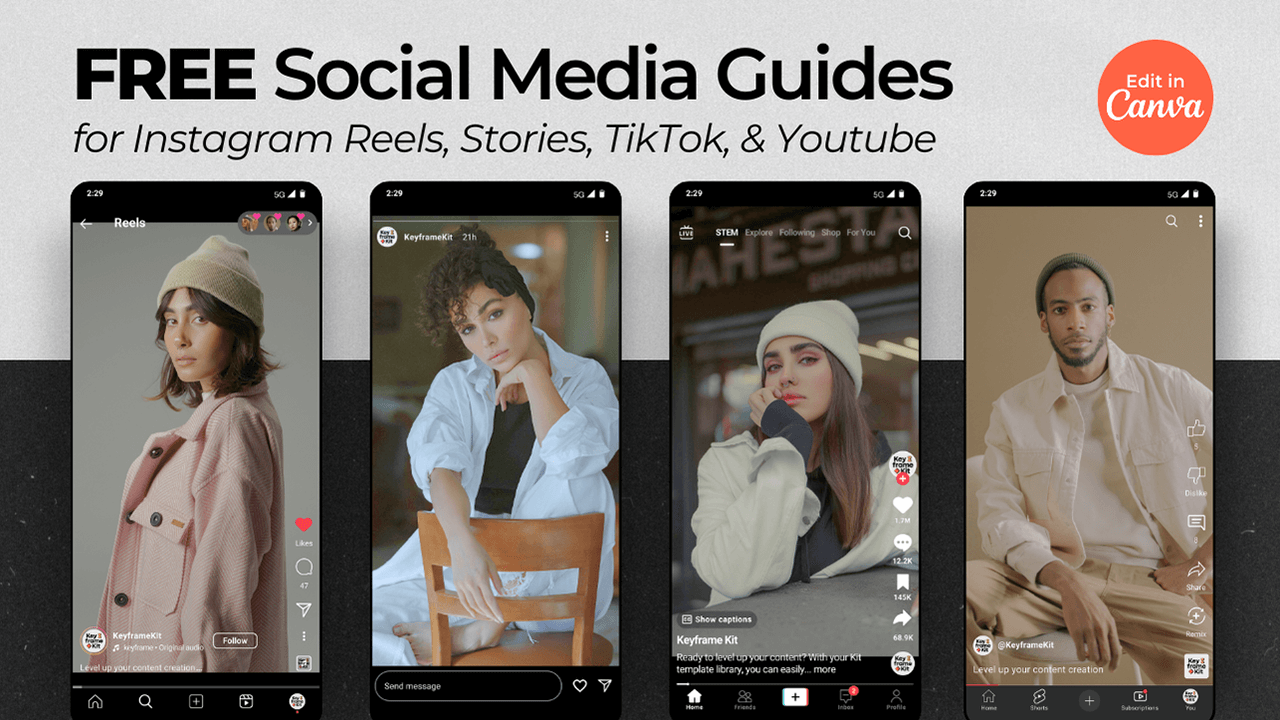
Using Animoto for Social Media Marketing
Tailor your videos for each platform to maximize engagement.
SEO Optimization for Video Content
Use relevant keywords in titles and descriptions to improve visibility.
Analyzing Video Performance
Track metrics like views, engagement, and conversions to improve future videos.
Common Mistakes to Avoid
Avoid overloading information and ignoring feedback.
Advanced Tips for Higher Conversions
Use storytelling and emotional triggers to connect with your audience.
Case Study Example of Successful Video Campaign
A well-planned video campaign can significantly boost conversions when executed correctly.
Future Trends in Video Marketing
Short-form videos and AI-driven tools are shaping the future.
Conclusion
Creating engaging videos that convert isn’t about fancy tools—it’s about strategy, storytelling, and understanding your audience. Animoto simplifies the technical side, allowing you to focus on creativity and messaging. By applying these tips and tricks, you can turn simple ideas into powerful videos that drive real results.
Frequently Asked Question
Is Animoto suitable for beginners?
Yes, Animoto is designed for users with no prior video editing experience.
How long should a marketing video be?
Ideally between 30–90 seconds for most platforms.
Can I use Animoto for social media ads?
Absolutely, it’s perfect for creating ad-ready videos.
Do captions really improve engagement?
Yes, especially for mobile users who watch videos without sound.