HubSpot

How HubSpot Helps Businesses Automate Marketing and Sales

This blog post explains how HubSpot helps businesses automate their marketing and sales processes through smart CRM integration, automated workflows, email marketing, lead nurturing, and sales pipeline automation. It highlights how HubSpot saves time, improves lead conversion, and aligns marketing and sales teams for faster, scalable business growth.

 

What Is HubSpot and Why It Matters

HubSpot is an all-in-one growth platform designed to help businesses attract, engage, and delight customers. Instead of juggling multiple tools for email marketing, CRM, social media, and sales tracking, HubSpot brings everything under one roof.

Why does this matter? Because disconnected tools create chaos. HubSpot creates clarity by connecting marketing and sales data in one place, allowing automation to work smoothly across teams.

The Role of Automation in Modern Business

Think of automation as cruise control for your business. You’re still driving, but the system handles repetitive tasks so you can focus on strategy and creativity.

Automation helps businesses:

  1. Save time on repetitive work
  2. Reduce human error
  3. Respond faster to leads
  4. Scale without hiring endlessly

HubSpot automation is designed to feel natural—not robotic—so your customers still feel valued and understood.

HubSpot Marketing Automation Explained

Marketing automation in HubSpot is all about delivering the right message to the right person at the right time—automatically.

Smart Lists and Segmentation

HubSpot automatically segments contacts based on behavior, demographics, and interactions. For example:

  1. Visited a pricing page? Add them to a hot-lead list
  2. Downloaded an ebook? Send educational emails

No manual sorting. It just happens.

Automated Lead Generation Made Easy

HubSpot turns your website into a lead-generating machine. With tools like:

  1. Landing pages
  2. Forms
  3. Pop-ups

Every visitor interaction can be captured and stored in the CRM automatically. Once a lead enters the system, automation takes over.

Automated Lead Nurturing Workflows

Not every lead is ready to buy immediately—and that’s okay. HubSpot workflows nurture leads automatically by:

  1. Sending follow-up emails
  2. Assigning lead scores
  3. Moving contacts through lifecycle stages

It’s like having a salesperson who never forgets to follow up.

Email Marketing Automation with HubSpot

HubSpot lets you create email sequences that send automatically based on user actions. Opened an email? Clicked a link? Didn’t respond?

Each action can trigger the next step, creating a personalized experience without manual effort.

Personalization at Scale

Automation doesn’t mean generic messages. HubSpot uses contact properties to personalize emails with:

  1. First names
  2. Company names
  3. Industry-specific content

It’s like writing one email that feels like a thousand personal messages.

Use Cases of Bright Data

Sales teams love HubSpot because it removes friction from the selling process.

HubSpot CRM as the Automation Backbone

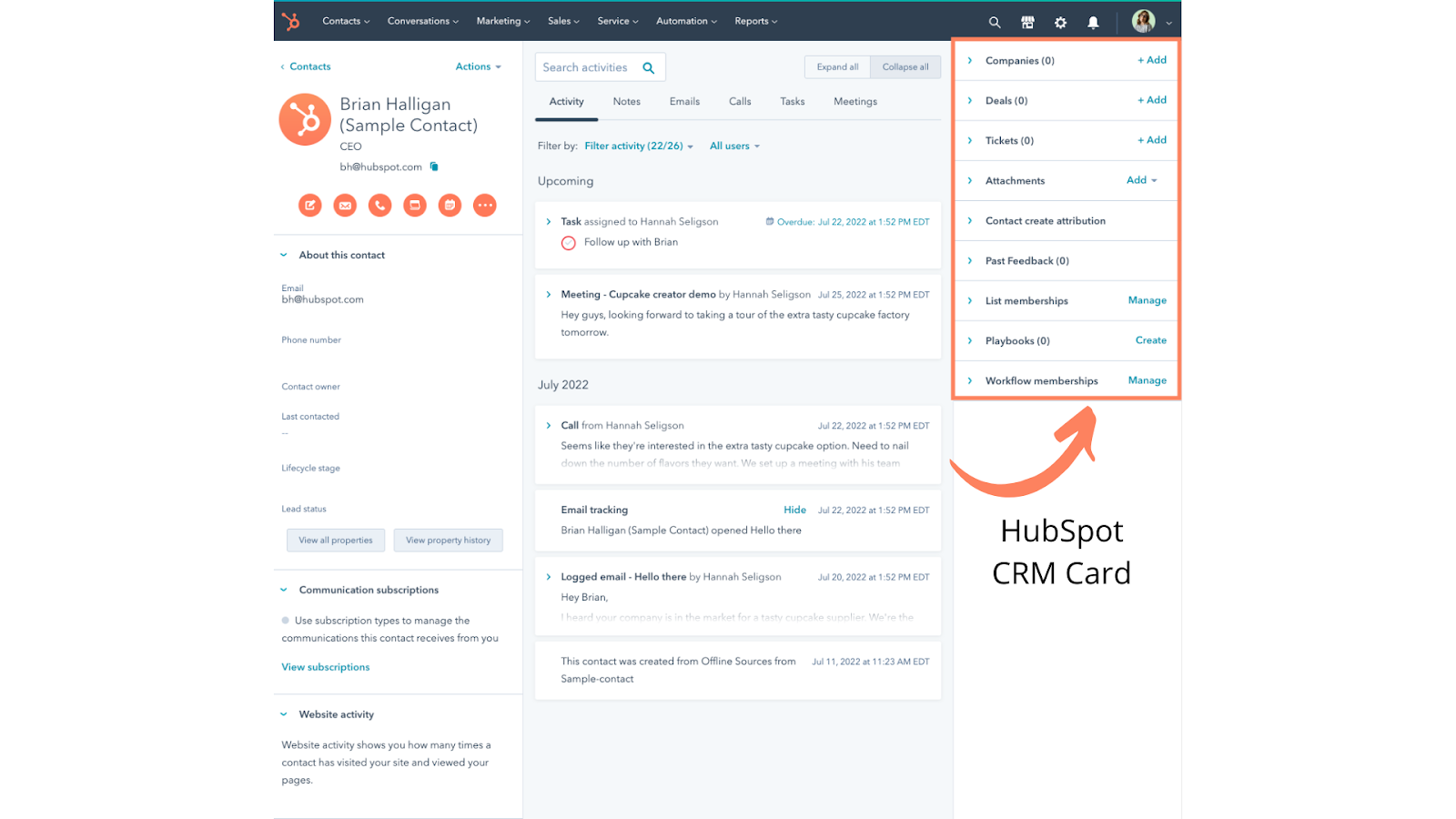
The CRM automatically logs:

  1. Emails
  2. Calls
  3. Meetings
  4. Notes

Sales reps no longer waste time updating records—HubSpot does it for them.

Sales Pipeline Automation

HubSpot visually maps your sales pipeline and automates deal movement. When a deal reaches a certain stage:

  1. Tasks are created
  2. Emails are triggered
  3. Notifications are sent

This ensures no deal slips through the cracks.

Deal Stages and Triggers

Each deal stage can trigger specific actions. For example:

  1. Deal moved to “Proposal Sent” → follow-up email scheduled
  2. Deal marked “Won” → onboarding workflow starts

Automation keeps momentum alive.

Customer Support and User Experience

Dedicated Account Managers

Enterprises benefit from personalized assistance.

Knowledge Base and Tutorials

Step-by-step guides make onboarding smooth.

24/7 Customer Assistance

Round-the-clock help ensures businesses never get stuck.

Task and Follow-Up Automation

HubSpot automatically assigns tasks to sales reps, reminding them when to:

  1. Call a lead
  2. Send a proposal
  3. Follow up after meetings

No sticky notes. No missed opportunities.

How HubSpot Aligns Marketing and Sales

Marketing and sales alignment is where HubSpot truly shines. Both teams work from the same data, same CRM, and same automation logic.

Marketing knows which leads convert. Sales knows where leads came from. This shared visibility creates trust and better decision-making.

Reporting and Analytics Automation

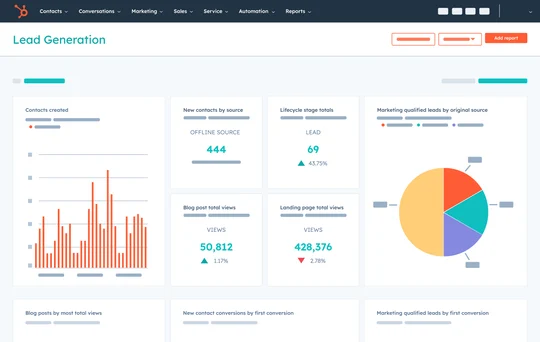
HubSpot automatically generates reports on:

  1. Lead sources
  2. Conversion rates
  3. Email performance
  4. Sales revenue

Instead of guessing what works, you see it clearly—updated in real time.

AI Tools Inside HubSpot

HubSpot uses AI to:

  1. Suggest email subject lines
  2. Predict deal outcomes
  3. Score leads intelligently

It’s like having a data scientist quietly improving your results in the background.

Why HubSpot Is Ideal for Growing Businesses

HubSpot grows with you. Start small with basic automation, then scale into advanced workflows as your business expands. You don’t need to be a tech expert—HubSpot is built for humans, not robots.

Common Mistakes Businesses Avoid with HubSpot

Automation done wrong feels spammy. HubSpot helps avoid this by:

  1. Using behavior-based triggers
  2. Allowing granular personalization
  3. Providing clear analytics

You automate smarter, not louder.

Best Practices for Using HubSpot Automation

  1. Start with simple workflows
  2. Align marketing and sales goals
  3. Review automation performance regularly
  4. Always focus on customer experience

Automation should support relationships, not replace them.

Conclusion

HubSpot makes marketing and sales automation feel effortless. By connecting CRM, marketing, and sales tools into one intelligent system, it helps businesses save time, close more deals, and build better customer relationships. Instead of working harder, HubSpot lets you work smarter—like setting up dominoes once and watching growth happen automatically.

Frequently Asked Question

Is HubSpot suitable for small businesses?

Yes, HubSpot is highly scalable and works well for startups, small businesses, and enterprises alike.

Can HubSpot automate both marketing and sales?

Absolutely. HubSpot is designed to automate the entire customer journey from lead generation to deal closure.

Does HubSpot require technical skills?

No. HubSpot is user-friendly and designed for non-technical users.

How does HubSpot improve lead conversion?

By using automated workflows, lead scoring, and personalized communication.

Is HubSpot automation customizable?

Yes, workflows, triggers, and automation rules can be customized to fit your business needs.

Shopping Basket

times.software

Table of Contents